Enhanced conversions is a Google Ads feature that adds hashed first-party customer data, such as an email address, to your conversion tags, so Google can match more conversions to signed-in users who saw or clicked your ads. The data is hashed with SHA256 before Google uses it.
Enhanced conversions is a Google Ads feature that adds hashed first-party customer data, such as an email address, to your conversion tags, so Google can match more conversions to signed-in users who saw or clicked your ads. The data is hashed with SHA256 before Google uses it.
What does enhanced conversions do?
It supplements your existing conversion tags: the hashed email or phone from the order is matched to Google accounts that were signed in when they engaged with your ad. Google’s About enhanced conversions page describes 2 types.
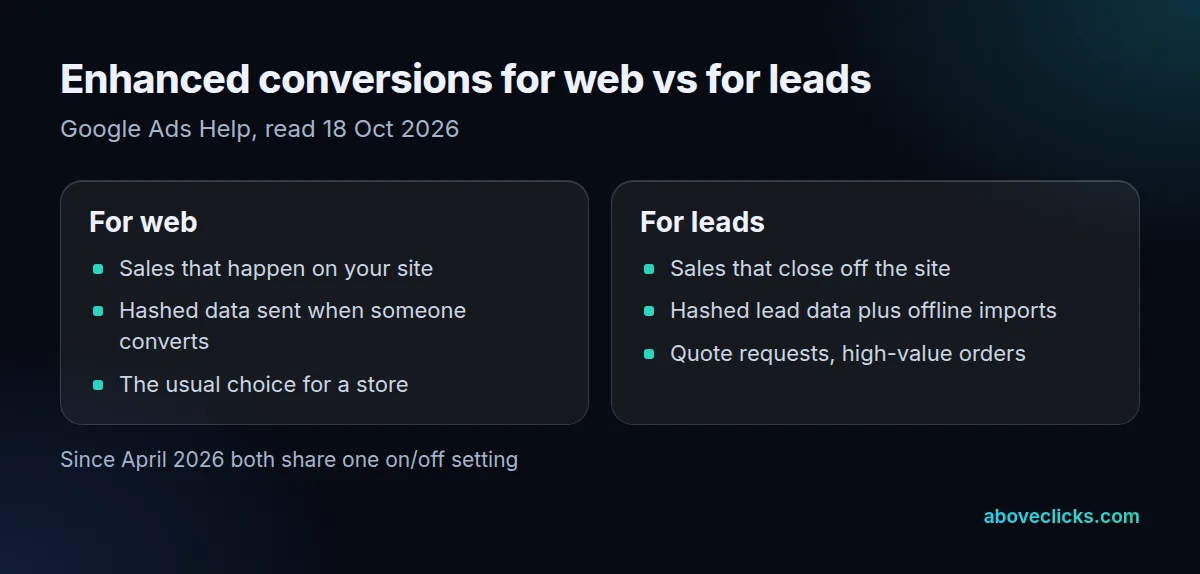
Google’s setup page says that from April 2026, web and leads are combined into a single on/off setting, and existing users move to it automatically. Better-matched conversions also give Smart Bidding more to learn from: for a hypothetical store recording 200 conversions a month, every order matched this way is one more signal it can bid on. It’s Google’s counterpart to Meta’s Conversions API, though the mechanics differ.
How does Google hash the data?
With SHA256, after normalizing it: trim spaces, lowercase, format phones in E.164, and drop dots before the @ in gmail.com and googlemail.com addresses. On 18 October 2026 we tested why the order of those steps matters.
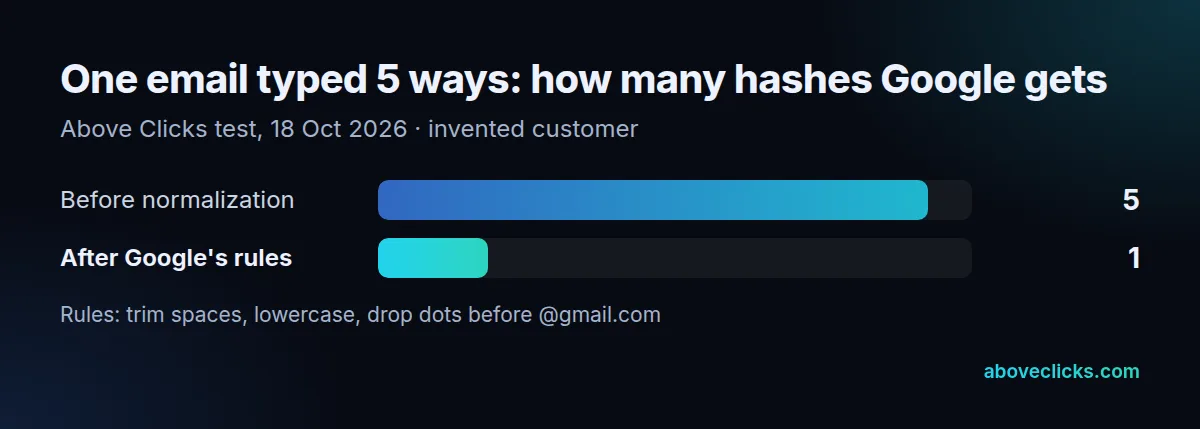
We typed one hypothetical customer’s email 5 ways, from [email protected] to all caps with a trailing space. Hashed as typed, that’s 5 different hashes, so Google would see 5 strangers. After the rules, all 5 give 1 hash. We also hashed the examples in Google’s own field table: all 4 reproduce, but the table shows ‘John’ and ‘Doe’ while the printed hashes are those of the lowercase names. If you send pre-hashed data, normalize first.
How do you set up enhanced conversions?
Turn it on under Goals, Settings, accept the customer data terms, then choose how the Google tag collects the user-provided data. Google lists 3 methods.
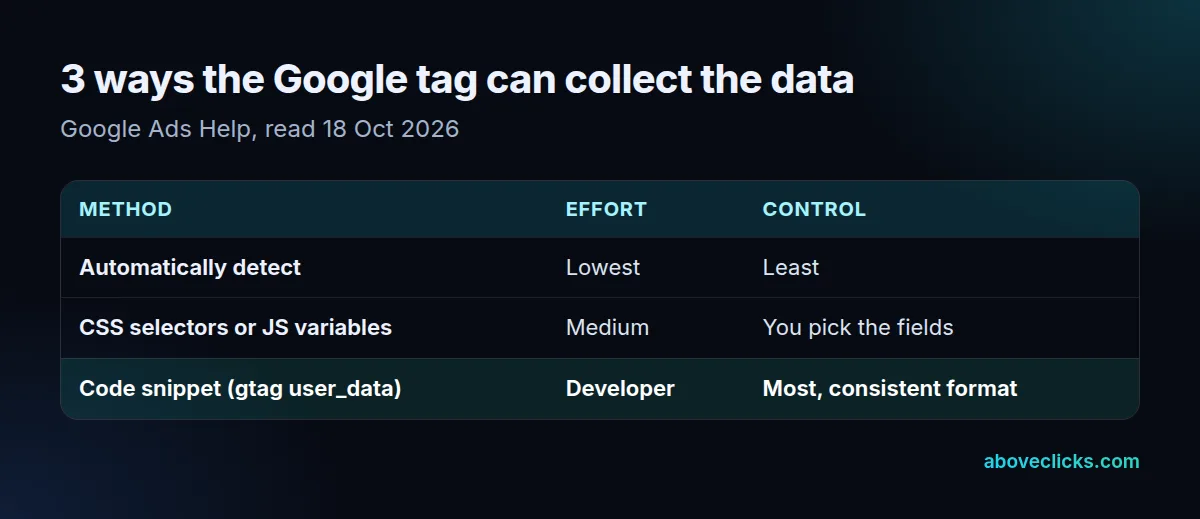
Automatic detection works for most advertisers, Google says; the code snippet is the most reliable if a developer can add it to the order confirmation page. Email is the preferred field. An address needs first name, last name, postal code and country, and a phone must be 11 to 15 digits in E.164 with a + prefix. Leave out fields you don’t collect rather than sending blanks. Stores on Google Tag Manager can follow Google’s separate Tag Manager setup instead. Conversions imported from Google Analytics goals aren’t supported.
When will you see the effect?
About 30 days after a working setup, Google says, impact results appear in your conversion action table. Validate the setup straight away rather than waiting for that report.
Google’s impact results page describes the sequence. A few days after setup, the Status column reads “Recording (processing enhanced conversions)”. Training takes up to 30 days, while normal conversion tracking carries on. Then the status changes to “Recording (enhanced conversions)” and an impact card shows for 30 days.
Two things can quietly block it. Data isn’t collected until you accept the terms in Google Ads or Google Analytics. And with the automatic or CSS-selector methods, the ads cookie follows the ad_storage status in Consent Mode. Check both if a month passes with no change. Our Google Ads management team sets up and validates tracking, and the Google Ads for e-commerce guide covers the wider account.