Buying guides
Web design and SEO packages: what the SEO half of a website project should cover
What a web design and SEO package should cover in each of its 5 phases, from the page plan to the first…
Creative & branding · Event design · Stage backdrops
We offer stage backdrop design for conferences, product launches, award shows and town halls: printed backdrops and LED wall content. Each backdrop is designed for the room and the camera, so the speaker stands out. Files are made to your printer’s or AV team’s exact spec.
200+ clients served 500+ projects delivered
Free stage backdrop brief review
Three fields and you’re done. We look at what you have, say what we’d make and how, and check it against the problems we see most often:
Your plan comes by email as a PDF. If you want to discuss going ahead after reading it, we’ll set up a video meeting. We use your details only for this review.
Fit
Not the right fit if you need set building, rigging, lighting or AV hire; we design the graphics and content, and your stage builder and AV company produce and run them. For photo walls and entrance banners, see event banners and backdrops.
Problems we fix
Bright detail right where the speaker’s head sits on camera.
Branding at the height of the lectern, the speaker or the front row’s heads.
LED content made at the wrong resolution, so it stretches, crops or blurs.
Shiny prints that catch the lights, and fine stripes that flicker on camera.
Large white areas on an LED wall that flood the stream.
One static image for the keynote, the panel and the awards.
In 1:10 · animated
A short animated walk-through of the first checks in our audit. No sound needed: everything is on screen, and the transcript is below.
What we check first in a stage backdrop, an animated explainer of 1:10 with on-screen captions and controls to pause.
Our approach
Part one is the room and the camera. Stage backdrop design starts with the stage plan: width, height, where the lectern, panel seats and screens go, how far the back row sits, and where the cameras are. A backdrop is seen two ways: by the audience from the room, and by the camera in a tighter frame around the speaker. We design for both, and we ask the AV team for the camera positions before we start.
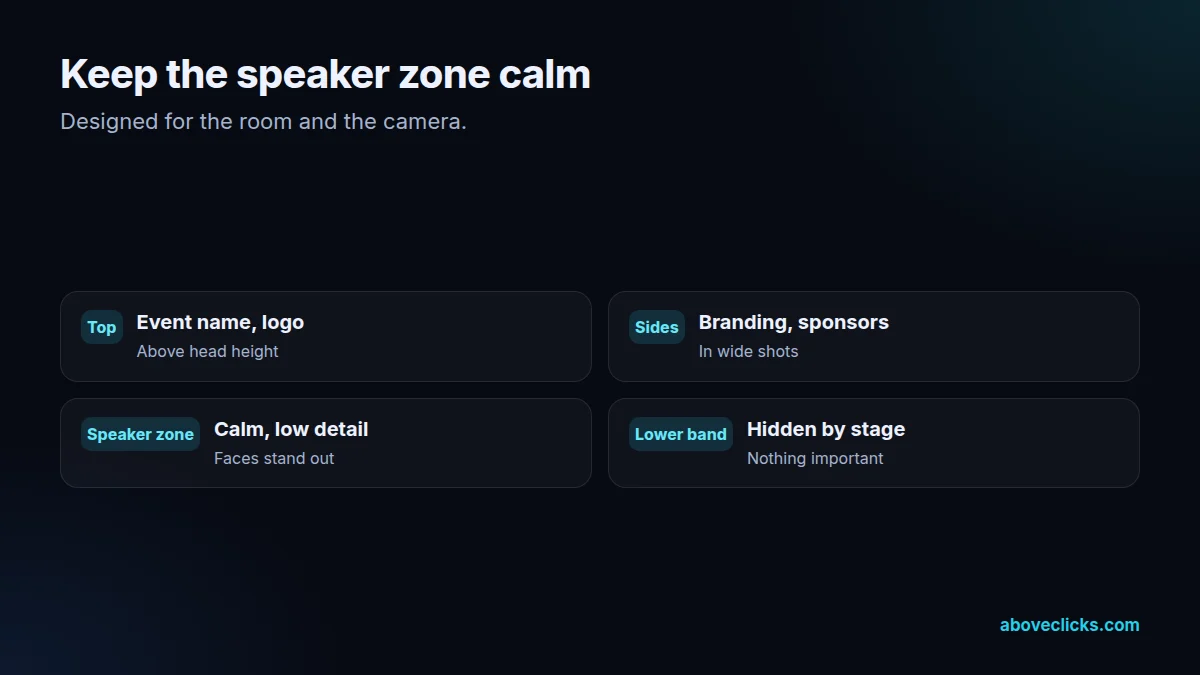
Part two is the speaker zone. The area behind the speaker’s head and shoulders, at standing and seated heights, is kept calm: a dark or mid-tone, low-detail area so faces stand out on camera. The event name and logo go above head height or to the sides, where they appear in wide shots and in a typical speaker frame without sitting behind anyone’s face. The lower part of the backdrop is often hidden by the stage and front row, so nothing important goes there.
Part three is printed or LED. For printed stage backdrops, we work to the stage builder’s panel sizes and seams, keep text away from joins, and recommend a matt material so stage lights don’t glare; the material is their choice. For LED wall content, the AV company gives us the exact pixel map (the total resolution and how the panels are arranged), and we make content at exactly that size, so nothing stretches or crops.
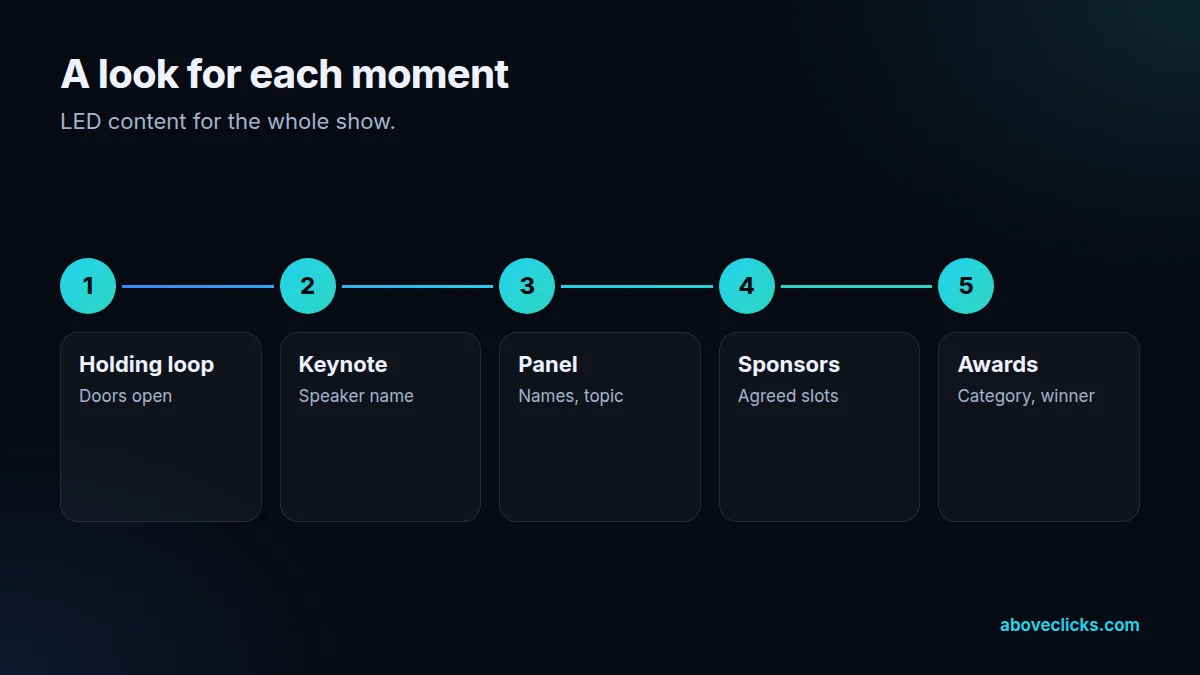
Part four is content for each moment. Events change through the day, so an LED stage backdrop gets a set of looks: a holding loop while people arrive, a keynote look with the speaker’s name, a panel look, sponsor moments and an awards look with category and winner slides. Motion is slow and subtle, so it doesn’t distract from the speaker. Content avoids very fine stripes and patterns, which can flicker on camera, and large areas of pure white, which flood the stream.
Part five is files and rehearsal. Printed backdrops get print-ready files at the size or scale your printer asks for, with bleed and their colour profile, usually PDF/X-4 as ISO 15930-7 defines it.
LED content goes out as image and video files at the pixel map size, in the formats the AV team’s playback system uses, named in show order. We ask for a camera check at rehearsal and adjust brightness and contrast with the AV team. We design; you print. We deliver print-ready files made to your printer’s specification (size, bleed, colour profile and file format), and you place the print order with the printer you choose, so you see the printer’s price and proof directly.
The stage backdrop matches the rest of the event: entrance banners, photo wall, signage and slides share one look, and the presentation template is designed to sit well on the screens beside the backdrop. Name and title slides follow W3C’s contrast guidance so they read from the back row, and recorded sessions published afterwards need captions, as W3C’s captions criterion sets out.
Where AI helps: exploring abstract background art and motion loops in the event’s colours, and extending artwork to unusual stage proportions. Where it doesn’t: names, titles, sponsor logos, awards results or the pixel map, which a person sets and checks against the run sheet. Client work is shown anonymously: see real client results on our results page.
How we use AI here
AI explores abstract art in the event colours for the backdrop.
AI helps make slow, subtle loops for LED holding screens.
AI extends artwork to very wide or tall stage formats.
Where we don’t use it: names, titles, sponsor logos, award results or the pixel map. A person checks each against the run sheet.
What’s included
Stage plan, sightlines and camera positions.
Calm area behind heads; branding above and to the sides.
A stage backdrop to the builder’s panels and seams, matt noted.
At the exact pixel map, for each moment of the show.
Readable from the back row and on the stream.
Named in show order, in the AV team’s formats.
Brightness and contrast adjusted with the AV team.
How we run it
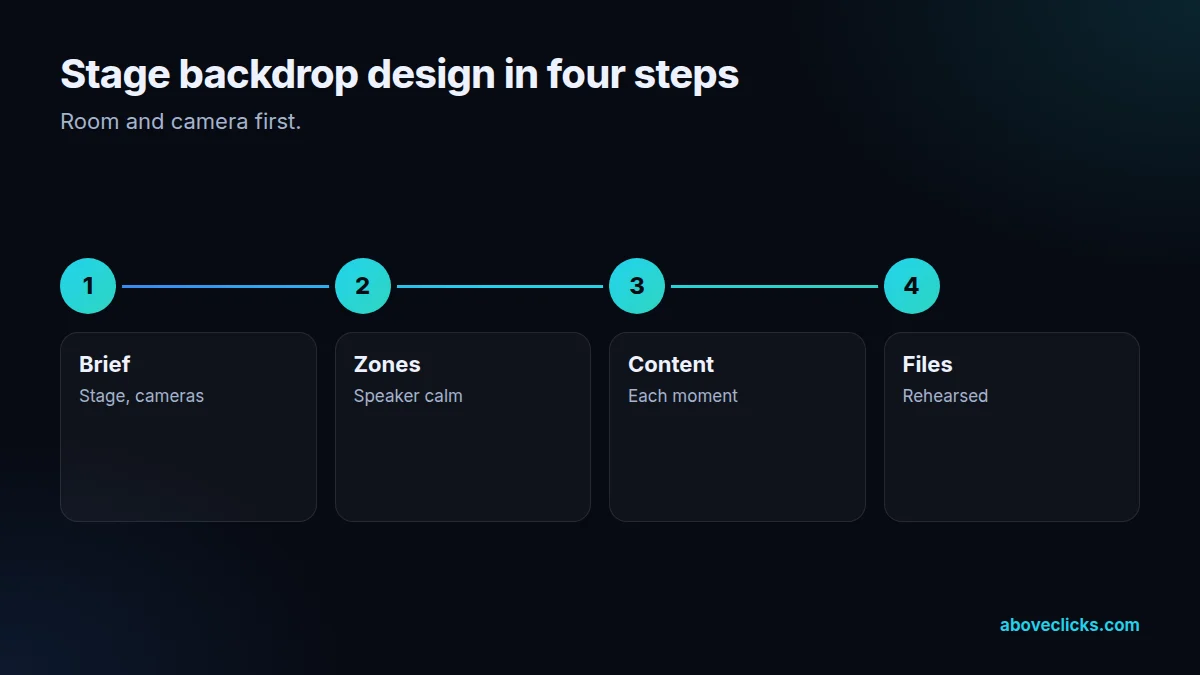
Stage backdrop design runs room and camera first, then zones, content and files. Typical timing: first designs within 2 workdays of the brief, each revision round within 1 workday, and print-ready files on approval.
Step 1
Stage, room, cameras.
Step 2
Speaker area calm.
Step 3
Each moment of the show.
Step 4
Print and LED, rehearsed.
Pricing
The brief review is free. Paid work starts at these prices, and your exact cost is fixed in writing before any work begins.
Free no obligation
Tell us about your stage, screens and the event. You get a written plan and a fixed quote before any paid work.
Get my free reviewAfter the brief review
From $150 one-off, per design
One stage backdrop or LED wall design.
From $400 one-off, per event
Backdrop, LED content and stage signs.
All prices are starting prices in US dollars. Custom work beyond these options is quoted after the review.
Per event
On request, we can also coordinate the print order with the printer you choose.
Pricing
We quote after a short call and a look at what you use today, so the number is based on the real work. Each design project is a fixed one-off cost, agreed before work starts: from $150 per design, with two revision rounds included.
Start with the free audit to get a quote for your store.
By industry
For healthcare, medical conference stages with calm speaker zones for long sessions and readable session titles.
For education, convocation and annual-day stages with the crest above head height and award slides for each name.
For luxury brands, launch keynotes with LED content that shows the product without flooding the stream.
Sources
Platform rules change. These are the official pages we check the work against, so you can check it too.
FAQ
Can’t find yours? Ask on WhatsApp or by email and we’ll answer it.
A stage and camera brief, a speaker zone layout, printed backdrop or LED content for each moment, name and award slides, show-ready files and a rehearsal check.
It follows the stage builder’s panels or the LED wall’s pixel map. We design to their exact spec rather than a standard size.
Above head height or to the sides, so it shows in wide and speaker shots without sitting behind anyone’s face.
The exact resolution and panel layout of the LED wall, supplied by the AV company. We make content at that size so nothing stretches or crops.
No. We design the graphics and content. Your stage builder, printer and AV company produce, install and run them.
Busy detail behind faces, fine stripes that flicker, glossy prints that glare and large white areas on LED walls. We design to avoid all four.
For abstract art, motion loops and odd proportions. Names, logos, award results and the pixel map are checked by a person.
Related guides
Buying guides
What a web design and SEO package should cover in each of its 5 phases, from the page plan to the first…
Buying guides
A 6-step way to pick an SEO company: decide what you need, ask the questions Google itself suggests, check proof the right…
Buying guides
A side-by-side of Omnisend and Klaviyo as of October 2026: free plan limits, how each platform counts billable contacts, the channels each…
Free growth audit
Tell us about your store. We’ll review your tracking, campaigns and SEO and send you a written audit with the top fixes, ranked by impact.