The Conversions API is Meta's way to send website, app and offline events from your server or store platform instead of the shopper's browser. It runs alongside the Meta Pixel, recovering events the browser misses, and Meta uses both to measure ads and optimize delivery.
The Conversions API is Meta’s way to send website, app and offline events from your server or store platform instead of the shopper’s browser. It runs alongside the Meta Pixel, recovering events the browser misses, and Meta uses both to measure ads and optimize delivery.
You’ll also see it called the Facebook Conversions API, or CAPI for short.
How does the Conversions API differ from the Meta Pixel?
The Meta Pixel fires in the browser. If the confirmation page fails to load or the connection drops, that event never reaches Meta. The server doesn’t have that problem: it sends the order when your store records it.

According to Meta’s Conversions API documentation, server events are processed like pixel events and can be used for measurement, reporting and optimization. If you already have a pixel, Meta says you can set it up for website events in one click from Events Manager.
Do you still need the Meta Pixel?
Yes, Meta’s best practices recommend a redundant setup: send the same events through the pixel and the server. The pixel brings browser cookies. The server fills the gaps caused by network or page-loading errors.
That creates a new problem. Every order the pixel catches now arrives twice.
Worked example: deduplication in numbers
Example: a hypothetical store takes 140 orders in a week. The pixel catches 118 of them. The server sends all 140.

- Pixel only: Meta sees 118 purchases and misses 22.
- Both, without event IDs: Meta receives 118 + 140 = 258 purchase events, 1.84 times the real orders. Reported revenue and ROAS inflate by the same factor.
- Both, with matching IDs: Meta removes the 118 duplicates and keeps 140, the true count.
The middle row is the costly one. The ads look nearly twice as profitable as they are, and budget decisions follow.
3 Conversions API rules that stop double counting
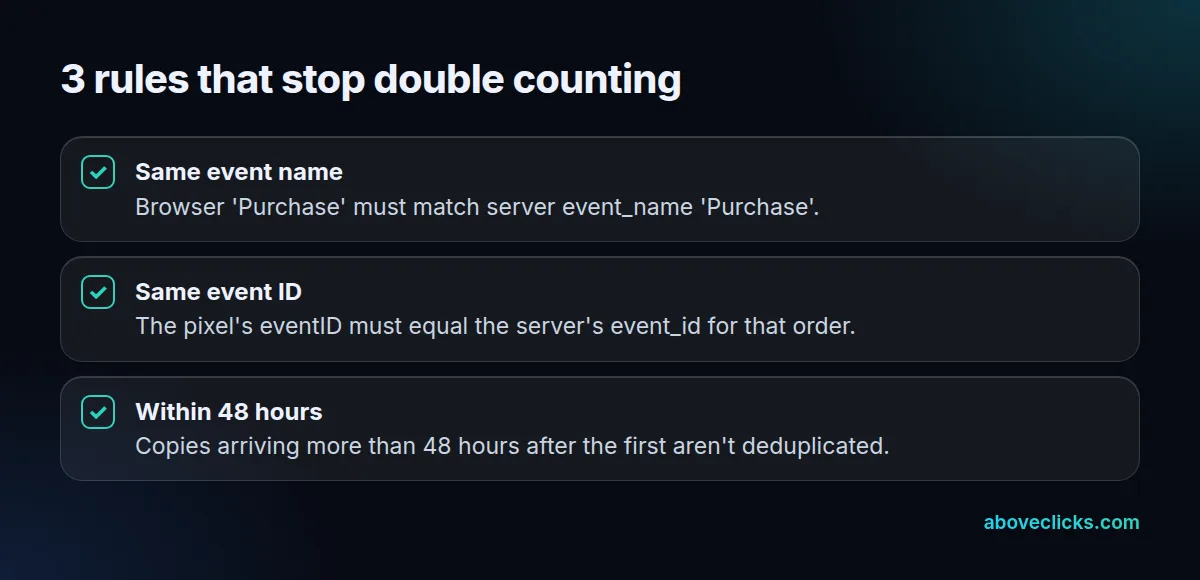
Meta’s deduplication guide treats a browser event and a server event as the same action when the event name and event ID match. It discards the later copy if both arrive within 48 hours. Use the same Pixel ID for both. Your order ID is a natural event ID, because both sides know it.
Each website event also needs a few parameters:
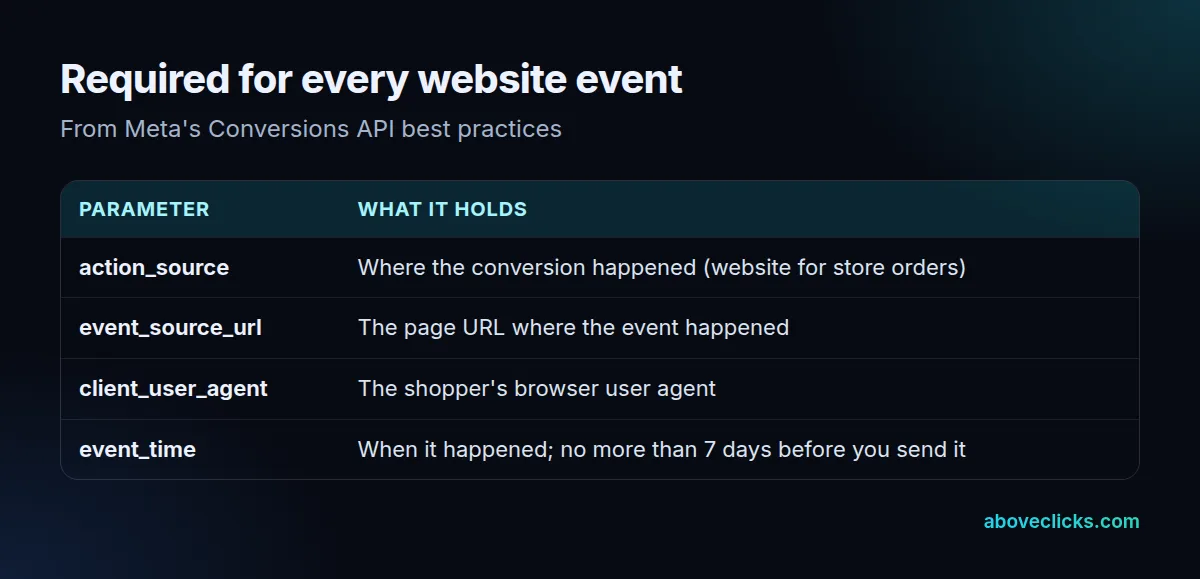
The event_time limit catches stores that batch orders. Meta’s server event parameters page says an event can be up to 7 days old. If any event in a request is older, Meta rejects the whole request and processes none of it.
How do you check if the Conversions API is working?
Meta’s own checklist ends with verification: confirm the events arrive, that they’re deduplicated and that they match people. In practice, for a store:
- Place a test order and look for one Purchase from the browser and one from the server in Events Manager’s Test Events tool.
- Check that both carry the same event ID.
- Compare a week of Meta purchases with your store’s orders. The totals should be close, not double.
In our client work, we run step 1 after every change to a store’s Conversions API setup, not just the first install, because an app update can drop the shared event ID without any error showing.
Why it matters for e-commerce
Meta can only use matched events for attribution and ad delivery. Unmatched events still count for basic measurement. So sending events isn’t enough: they need customer details Meta can match, which is what event match quality scores.
For the Shopify setup, read our guide to connecting the Meta Conversions API on Shopify. The Meta ads for e-commerce guide shows where tracking fits in the wider plan. If your Meta numbers and store orders disagree, our Meta ads service starts with a tracking audit.