Buying guides
Questions to ask a marketing agency before you hire one (with good answers and red flags)
21 questions for your intro calls, grouped by topic, each with what a good answer sounds like and what should worry you.…
Video & social · Unboxing & demo videos
We make product demo videos and unboxing videos for online stores with considered or giftable products. You or a creator film to our script and shot list; we edit the footage into first-look, unboxing and how-to-use videos with captions and product callouts. We don’t run studio shoots.
200+ clients served 500+ projects delivered
Free demo video brief review
Three fields and you’re done. We look at what you have, say what we’d make and how, and check it against the problems we see most often:
Your plan comes by email as a PDF. If you want to discuss going ahead after reading it, we’ll set up a video meeting. We use your details only for this review.
Fit
Not the right fit if the product can’t be handled on a table or filmed on a phone, or if you want a presenter shot in a studio. Footage comes from you or a creator, filmed to our shot list.
Problems we fix
A long unedited unboxing where the useful 40 seconds are buried.
A feature tour when buyers actually want to know how to set it up.
The key step happens off camera or too fast to follow.
Viewers on mute can’t tell which button was pressed.
An unboxing that shows the box isn’t what the brand promised.
The demo sits on YouTube and never appears on the product page.
In 1:10 · animated
A short animated walk-through of the first checks in our audit. No sound needed: everything is on screen, and the transcript is below.
What we check first in a demo or unboxing, an animated explainer of 1:10 with on-screen captions and controls to pause.
Our approach
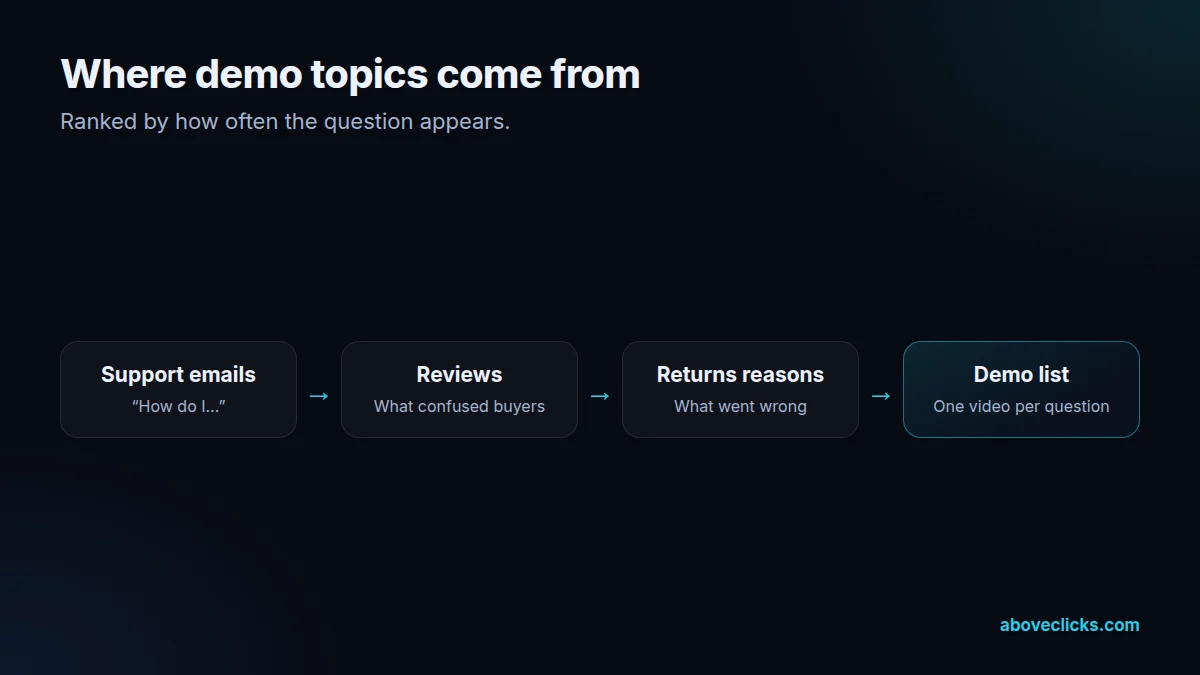
Part one is finding the question. Product demo videos earn their place by answering the questions that stall a purchase or cause a return: how it assembles, how it fits, how to clean it, what’s in the box, whether it works with what the buyer already owns. We read your support emails, reviews, returns reasons and pre-sale chats, list the questions by how often they appear, and give each one its own short video or a chapter in a longer one.
Part two is the script and shot list. Each of your product demo videos is written as numbered steps with the exact hand movement, the close-up needed and the on-screen label for each one. Unboxing videos follow the order the buyer will meet things: the outer box, the first reveal, each item in the box, the first touch. The shot list says the framing (top-down for assembly, side-on for fit), the light and the surface, with example frames.
Part three is filming, done by you or a creator. We don’t run studio or on-location shoots: we have no studio, camera crew or set. Live-action footage comes from you, filmed on a phone or camera to our shot list, or from creators we brief for the job. Most demos film well top-down on a phone mount with daylight, which we explain step by step in the shot list. For giftable products, a creator’s genuine first unboxing often beats a staged one; we brief the creator, agree usage rights in writing, and make sure any paid or gifted post is disclosed as the FTC’s Endorsement Guides require.
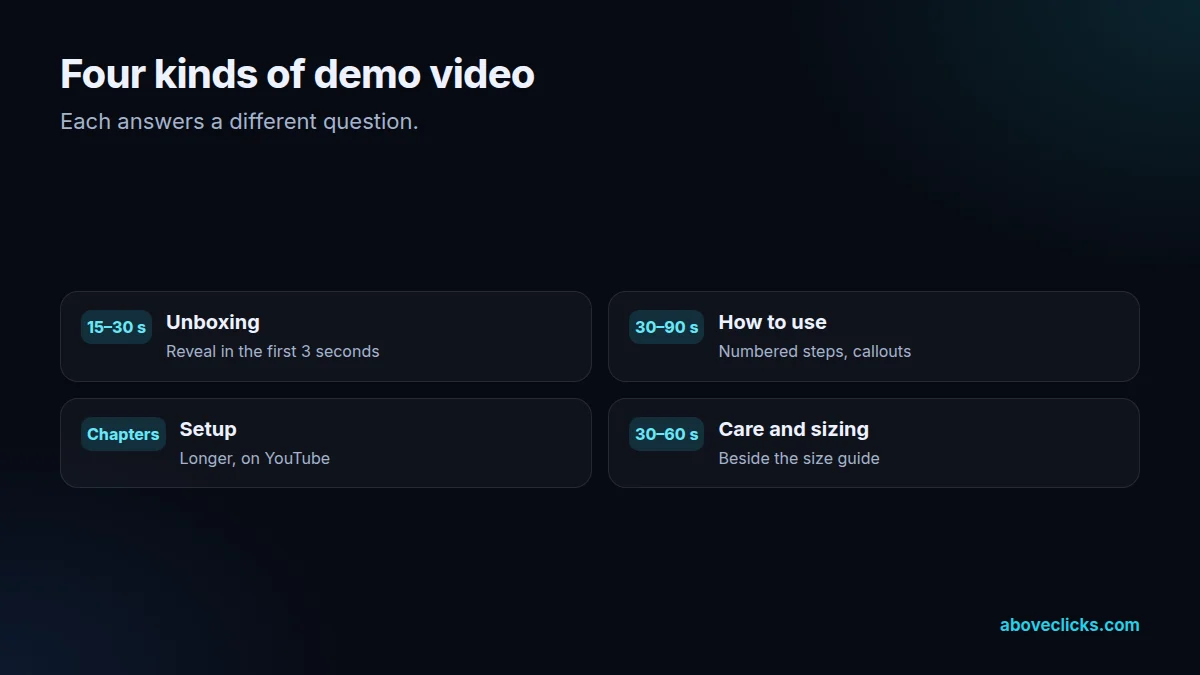
Part four is the edit. We cut each of your product demo videos to the steps that matter, add numbered callouts and arrows that point to the right button or part, slow down the fast moments, and burn in captions so the video works on mute. A how-to video usually runs 30 to 90 seconds per question; an unboxing for ads runs 15 to 30 seconds, with the reveal in the first 3. Longer setup videos get YouTube chapters, which YouTube’s chapters help explains are added through timestamps in the description.
Part five is putting product demo videos where the question is asked. On the product page, a demo belongs next to the specifications or the size guide it explains, loaded lazily so it doesn’t slow the page. In the order confirmation and delivery emails, a setup video cuts support tickets. On YouTube, a how-to video with a clear title catches the search “how to set up [product]”. Unboxing cuts go to Reels, TikTok and ads.
Accuracy comes first in product demo videos. A demo that shows a step wrongly creates the returns it was meant to prevent, so we check every step against your manual or your product team before the edit is final, and we show the product exactly as it arrives, including the packaging. If the packaging itself is weak on camera, we’ll tell you, because it’s cheaper to fix the insert card than to film around it.
Over time, your product demo videos become a library: one video per question, named and filed so your support team can paste the right link into a reply. When a product changes, we recut only the steps that changed, and we keep the shot list so the next product in the range is filmed the same way and the library looks consistent.
How we use AI here
AI groups support emails, reviews and returns reasons into the questions to answer; a person checks the grouping.
AI-assisted captions, translations and clean-up, so each demo ships quickly and works on mute.
Where it doesn’t help: showing the steps. We don’t simulate the product working with AI; every step on screen is the real product being handled.
What’s included
The questions that stall sales or cause returns, ranked by frequency.
Numbered steps, framing, light and example frames.
A briefed creator for genuine unboxings, rights agreed in writing.
30 to 90 second how-to videos with numbered callouts and captions.
15 to 30 second versions for Reels, TikTok and ads.
YouTube chapters and search-led titles for longer setup videos.
Product page, emails and support replies for each video.
How we run it
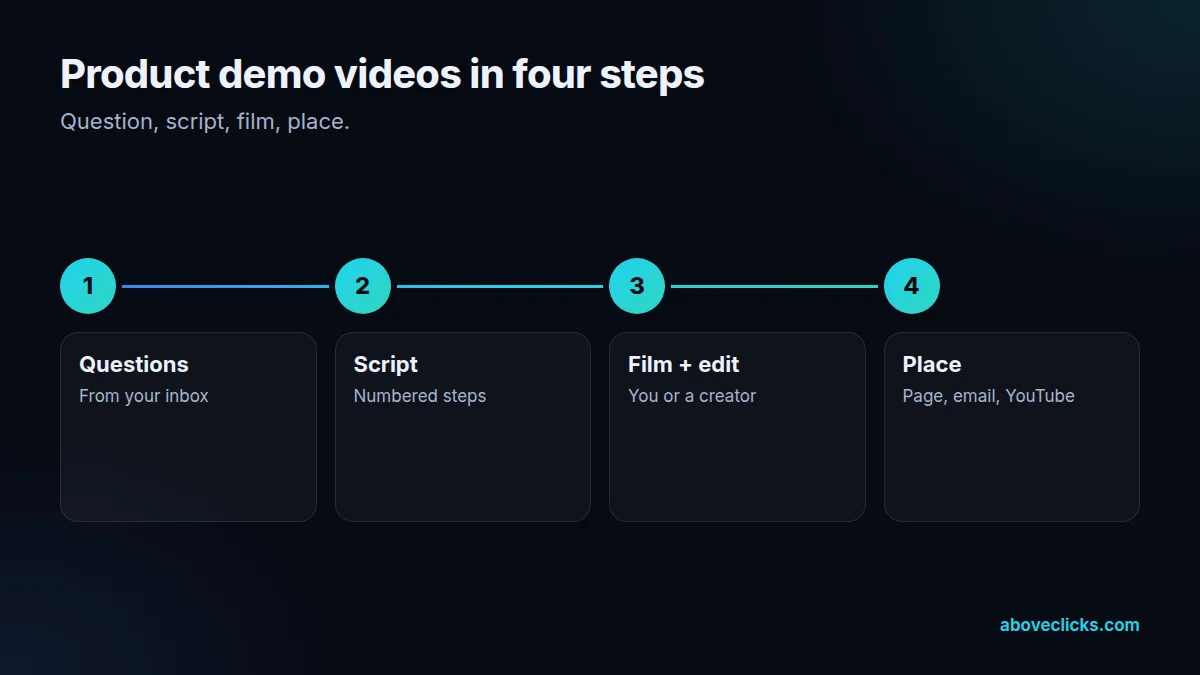
Question first, then script, filming, edit and placement. Typical timing: the brief and script within 2 to 3 workdays, the first cut within 1 week, and final files within 2 workdays of your feedback.
Step 1
From support, reviews and returns.
Step 2
Numbered steps and a shot list.
Step 3
You or a creator film; we edit.
Step 4
Product page, emails, YouTube.
Pricing
The brief review is free. Product demo videos start at these prices, and your exact cost is fixed in writing before any work begins.
Free no obligation
Tell us about your product and the questions buyers ask. You get a written plan for your product demo videos and a fixed quote before any paid work.
Get my free reviewAfter the brief review
From $300 one-off, per video
One product demo or how-to video.
From $800 monthly
An agreed number of product demo videos each month.
All prices are starting prices in US dollars. Product demo videos beyond these options are quoted after the review.
Per project
Two revision rounds are included, and a demo video set is typically delivered within 1 to 2 weeks of filming.
Pricing
We quote after a short audit, once we’ve seen the account or the store, so the number is based on the real work. Each project is a fixed one-off cost, agreed before work starts: from $300 per video.
Start with the free audit to get a quote for your store.
By industry
For jewelry, the unboxing is the gift: the box, the pouch, the first look under light, plus a short sizing or clasp demo.
For fashion, demo videos show fit, fabric stretch and care, and an unboxing shows the packaging gift buyers will hand over.
For luxury and high-ticket items, an unhurried unboxing and a care or authentication demo justify the price and calm the buyer.
Sources
Platform rules change. These are the official pages we check the work against, so you can check it too.
FAQ
Can’t find yours? Ask on WhatsApp or by email and we’ll answer it.
A short video that shows how a product works or how to use it, step by step, so buyers understand it before ordering and after it arrives.
About 30 to 90 seconds per question. Longer setup videos are fine on YouTube when they’re split into chapters.
For giftable and premium products they often do, because the packaging is part of what the buyer pays for. We test unboxing cuts as ads to find out.
You or a creator, on a phone, to our script and shot list. We don’t run studio or on-location shoots; we edit the footage.
On the product page next to the details they explain, in order and delivery emails, on YouTube for how-to searches, and in short cuts for social.
They can, when returns come from buyers misunderstanding size, setup or use. We pick topics from your returns reasons for that reason.
Yes. A briefed creator’s genuine first unboxing often works well; we agree usage rights in writing and make sure paid or gifted posts are disclosed.
Related guides
Buying guides
21 questions for your intro calls, grouped by topic, each with what a good answer sounds like and what should worry you.…
Buying guides
Percentage of ad spend, flat retainer, performance fee, hourly or a hybrid: what each model rewards, how it behaves as your spend…
Buying guides
In-house team, agency or freelancer? A side-by-side comparison on 7 factors, a total-cost worksheet built from US government pay data, and a…
Free growth audit
Tell us about your store. We’ll review your tracking, campaigns and SEO and send you a written audit with the top fixes, ranked by impact.