Buying guides
Web design and SEO packages: what the SEO half of a website project should cover
What a web design and SEO package should cover in each of its 5 phases, from the page plan to the first…
Video & social · Captions & subtitles
We add video captions and subtitles for brands, schools and clinics: accurate burned-in captions and SRT files so videos work on mute, translated subtitles for other markets, and an optional disclosed AI voice-over in another language. Every caption is checked by a person.
200+ clients served 500+ projects delivered
Free captions brief review
Three fields and you’re done. We look at what you have, say what we’d make and how, and check it against the problems we see most often:
Your plan comes by email as a PDF. If you want to discuss going ahead after reading it, we’ll set up a video meeting. We use your details only for this review.
Fit
Not the right fit for live captioning of events or legal transcription. We caption and subtitle recorded video.
Problems we fix
Names, products, prices and medical terms misheard by automatic captions.
Lines that flash too fast or run ahead of the speaker.
Burned-in captions sitting under the platform interface.
Subtitles translated word for word, losing meaning and tone.
Captions burned in only, so YouTube and the website have nothing to index.
A dubbed voice that viewers aren’t told is synthetic.
In 1:10 · animated
A short animated walk-through of the first checks in our audit. No sound needed: everything is on screen, and the transcript is below.
What we check first in your captions, an animated explainer of 1:10 with on-screen captions and controls to pause.
How we work
Part one of video captions is an accurate transcript. AI speech recognition gives a fast first draft, then a person checks it against the audio, fixing names, product terms, numbers and anything technical. For clinics, schools and regulated topics we use your glossary of terms, and we flag anything we can’t hear clearly rather than guessing. Captions that misquote a dose, a price or a date are worse than none.
Part two is timing and line breaks. Each caption appears with the words it shows and stays long enough to read, lines break at natural pauses rather than mid-phrase, and speaker changes are marked when more than one person talks. Captions for deaf and hard-of-hearing viewers also note important sounds. The W3C’s captions guidance explains these conventions, and its WCAG success criterion 1.2.2 makes captions for pre-recorded video a Level A requirement.
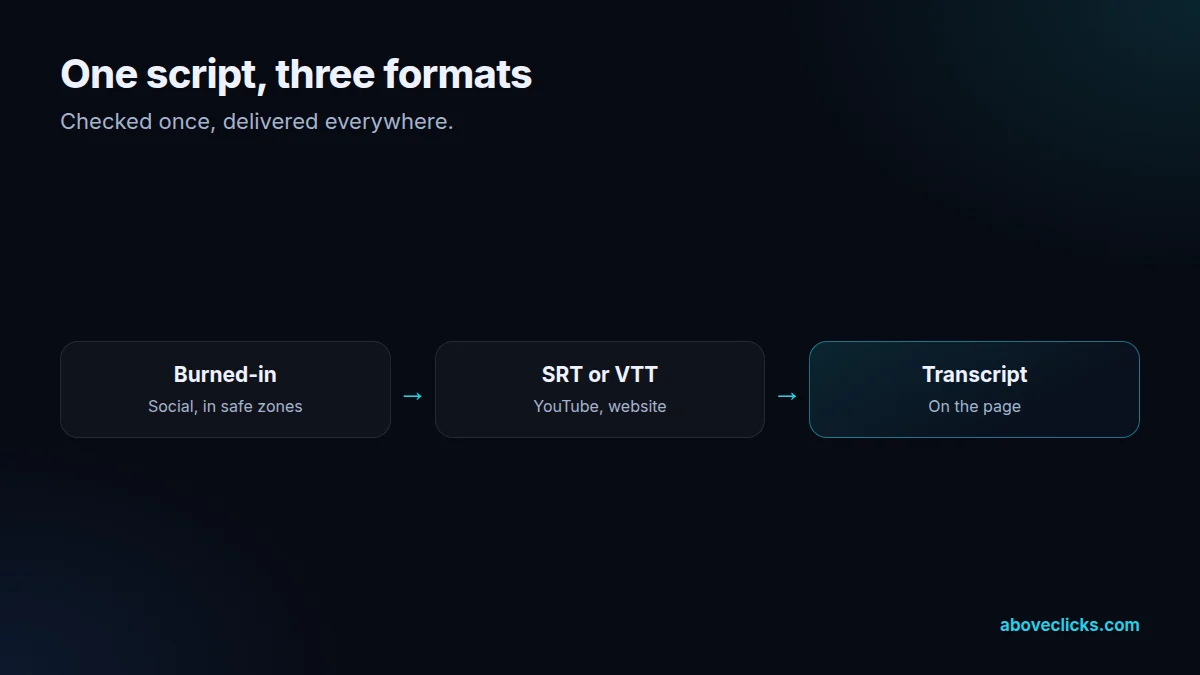
Part three is format. Social videos get burned-in captions in your brand style, sized for phones and placed inside each platform’s safe zone. YouTube and your website get caption files (SRT or VTT) that viewers can switch on and search engines can read; YouTube’s subtitles and captions help explains how uploaded files replace automatic captions. Many videos get both: burned-in for social, files for YouTube and the site.
Part four is translation. Subtitles in other languages are translated for meaning, not word for word, and kept short enough to read at the same speed. A fluent speaker checks every translated file before delivery, and product names, sizes and units are localised where the market needs it. English and Hindi are our standard languages for subtitles and voice-over, and other languages are available on request, depending on what the project needs at the time.
Part five is voice-over, when subtitles aren’t enough. AI voice tools can produce a dubbed narration in another language from the translated script. We use them with care: the voice is disclosed as AI where platforms ask (YouTube’s synthetic content disclosure, for example, covers realistic altered voices), a fluent speaker checks pronunciation and meaning, and we never clone a real person’s voice without their written consent.
Captions also help search and reach. A caption file gives YouTube and your website the full text of the video, which helps the right people find it, and transcripts can be published on the page for readers who prefer text. On social, most viewers start videos muted, so captions decide whether the message lands in the first seconds.
Style matters as well as accuracy. Burned-in video captions should be large enough to read on a phone at arm’s length, high-contrast against any background (a soft box or outline behind the text helps), no more than two lines at a time, and placed where the platform’s buttons and caption bar won’t cover them. We set these rules once in your brand fonts and colours, so video captions look the same across every platform and every editor. Subtitles in other languages follow the same layout, with line lengths adjusted for languages that run longer than English.
Delivery is simple: burned-in versions for each platform, caption and subtitle files named by language, and a transcript. For ongoing work, captions are part of our video editing packages; for existing libraries, we caption in batches, starting with the videos that get the most views.
Captions can be fixed after publishing, too. For an existing YouTube library, we download the automatic captions, correct them against the audio and upload the corrected files, starting with the videos that get the most views. For social videos already posted with weak captions, the corrected burned-in version can be used the next time the clip is reposted or run as an ad.
For regulated topics, such as clinics, medicines or courses with entry rules, we can send the caption file to your team for a final read before it goes live. It adds a day, and it means every term, dose, date and requirement in the video captions has been checked by someone who knows the subject.
How we use AI here
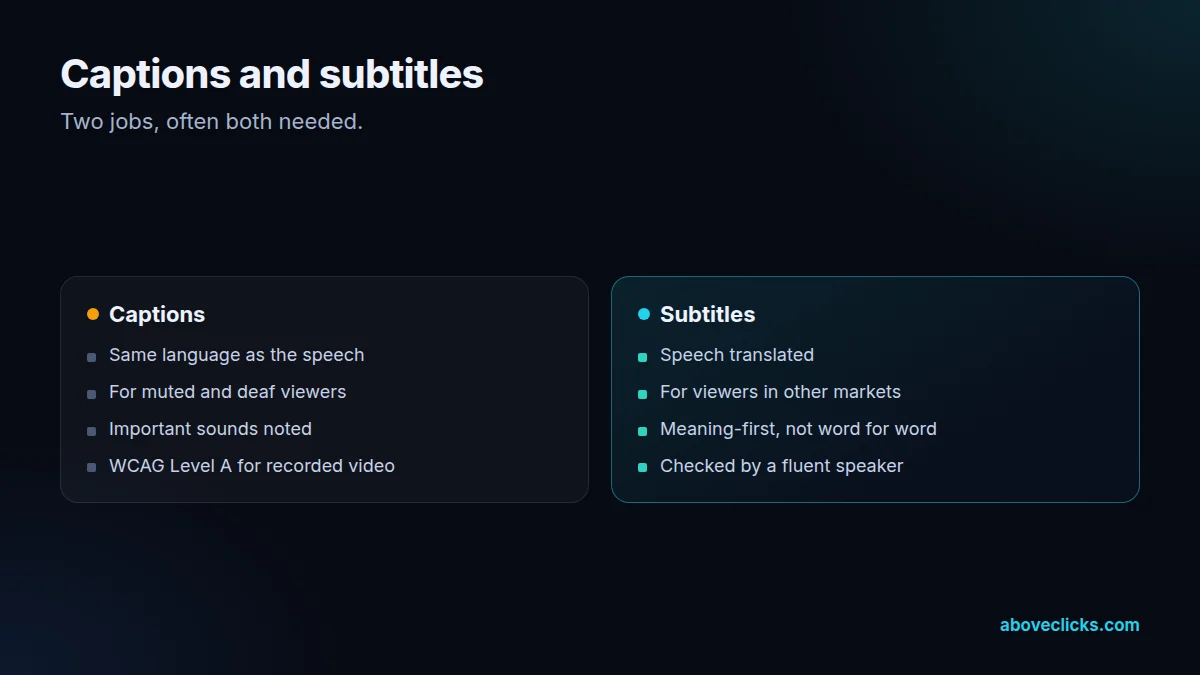
AI speech recognition drafts captions fast; a person checks every line against the audio.
AI drafts translations and voice-overs; a fluent speaker checks meaning and pronunciation.
Where it doesn’t help: being right. Automatic captions mishear names, numbers and technical terms, and machine translation loses meaning, so no file leaves without a person’s check.
What’s included
AI draft corrected by a person, using your glossary.
Readable timing, natural line breaks, speakers and sounds marked.
Brand-styled, phone-sized, inside platform safe zones.
SRT or VTT for YouTube, your website and players.
Meaning-first translation checked by a fluent speaker.
Disclosed dubbed narration, checked for pronunciation.
Full text for the page, for search and readers.
How we run it
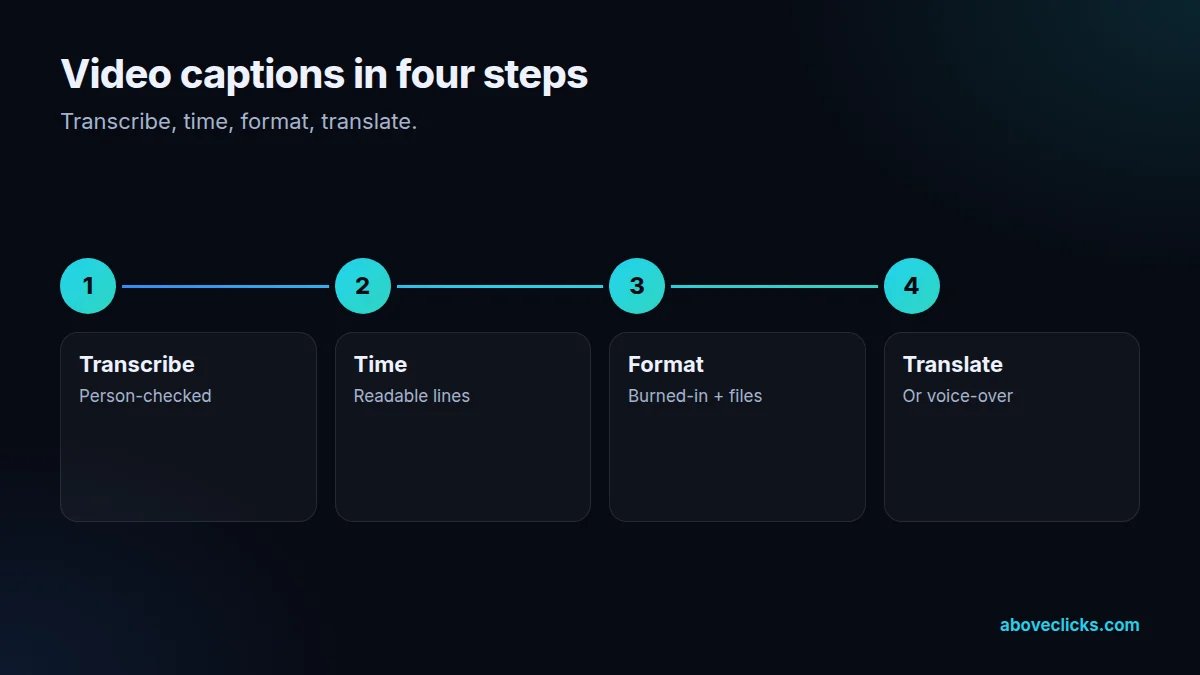
Transcribe, check, time, format, then translate or voice. Typical timing: captions within 2 workdays of receiving the video, and translations within 2 to 3 workdays more.
Step 1
AI draft, person-checked.
Step 2
Readable lines, speakers, sounds.
Step 3
Burned-in and caption files.
Step 4
Subtitles or voice-over, checked.
Pricing
The brief review is free. Paid work starts at these prices, and your exact cost is fixed in writing before any work begins.
Free no obligation
Tell us about your videos and where they run. You get a written plan and a fixed quote before any paid work.
Get my free reviewAfter the brief review
From $30 one-off, per video
Checked captions and subtitle files for one video.
From $150 monthly
Captions for every new video each month.
All prices are starting prices in US dollars. Custom work beyond these options is quoted after the review.
Per project
Captions are charged per video and delivered within 2 workdays, with translations in 2 to 3 workdays more.
Pricing
We quote after a short audit, once we’ve seen the account or the store, so the number is based on the real work. Each project is a fixed one-off cost, agreed before work starts: from $30 per video.
Start with the free audit to get a quote for your store.
By industry
For jewelry brands selling abroad, subtitles carry sizes, metals and care in the buyer’s language, with units localised.
For fashion, captions keep up with fast try-on edits, and translated sizes avoid the returns that wrong conversions cause.
For luxury and high-ticket brands, captions are styled quietly and translations keep the tone, not just the words.
Sources
Platform rules change. These are the official pages we check the work against, so you can check it too.
FAQ
Can’t find yours? Ask on WhatsApp or by email and we’ll answer it.
Captions show the spoken words, and often sounds, in the same language for viewers without sound. Subtitles usually translate the speech into another language.
For a first draft, yes. They mishear names, numbers and technical terms, so every caption we deliver is checked by a person against the audio.
Caption files and transcripts give YouTube and search engines the full text of a video, which helps it be found for what it actually covers.
Burned-in captions for social, and SRT or VTT caption files for YouTube, websites and video players.
Yes, translated for meaning rather than word for word and checked by a fluent speaker. Available languages depend on our reviewers.
Yes, with disclosure where platforms ask, a fluent speaker’s check, and never a cloned real voice without written consent.
Under WCAG, captions for pre-recorded video with audio are a Level A requirement, the most basic level. Specific legal duties depend on your country and sector.
Related guides
Buying guides
What a web design and SEO package should cover in each of its 5 phases, from the page plan to the first…
Buying guides
A 6-step way to pick an SEO company: decide what you need, ask the questions Google itself suggests, check proof the right…
Buying guides
A side-by-side of Omnisend and Klaviyo as of October 2026: free plan limits, how each platform counts billable contacts, the channels each…
Free growth audit
Tell us about your store. We’ll review your tracking, campaigns and SEO and send you a written audit with the top fixes, ranked by impact.