E-commerce SEO
Affordable SEO services for small business: 5 best proven
Affordable SEO is a scoping decision, not a shopping decision. This guide shows what a small budget actually buys, what to buy…
E-commerce SEO · Core Web Vitals
We do Core Web Vitals optimization for Shopify and WooCommerce stores that fail the assessment in Search Console. We trace each failing metric, LCP, INP or CLS, to its cause on each URL group, fix it in the theme and confirm the pass in field data.
200+ clients served 500+ projects delivered
Free Core Web Vitals audit
Three fields and you’re done. The PDF report shows what we found on your own pages and accounts, and the order we’d fix it in. It covers the problems we see most often:
Your PDF report comes by email. If you want to discuss going ahead after reading it, we’ll set up a video meeting. We use your details only for this audit.
Fit
Not the right fit for a full speed overhaul of apps, hosting and design together. That is our site speed service. This page is for passing the three metrics on the URL groups that fail them.
Problems we fix
The hero is lazy-loaded, or dozens of images are marked high priority, so the largest contentful paint image waits its turn.
Images, videos and iframes without width and height jump as they load, and the layout shift adds up across the page.
Announcement bars, cookie banners and review widgets that appear late push the page down, or move when fonts swap in.
Apps load scripts on every template, so taps on the variant picker, filters and add to cart wait behind long tasks and INP fails.
PageSpeed Insights lab runs change from test to test. Search Console judges the 75th percentile of real visits over 28 days.
Changes ship, but nobody starts validation in Search Console, so the report stays red and the work looks wasted.
In 1:10 · animated
A short animated walk-through of the first checks in our audit. No sound needed: everything is on screen, and the transcript is below.
What we check first in Core Web Vitals, an animated explainer of 1:10 with on-screen captions and controls to pause.
Our approach
Core Web Vitals optimization starts in the Core Web Vitals report in Search Console, not with a speed score. The report groups similar URLs and judges each group on the 75th percentile of real visits over the last 28 days. A group is good when LCP is 2.5 seconds or less, INP is 200 milliseconds or less and CLS is 0.1 or less. We list every failing group, the metric it fails and the template behind it, usually product, collection or the home page.
For largest contentful paint, we find the element first. On most store templates it is the hero banner or the first product image. Google’s guide to optimizing LCP splits the time into four parts: time to first byte, resource load delay, resource load duration and element render delay. We measure each one, because the fix differs: a slow server needs caching, a late image needs to be in the HTML with fetchpriority="high", and a heavy image needs the right size for a phone.
For interaction to next paint, we record real taps on the parts shoppers use: the variant picker, size buttons, filters, the cart drawer and add to cart. Google’s guide to optimizing INP breaks each interaction into input delay, processing time and presentation delay. On stores the usual cause is app scripts running long tasks on the main thread. We delay or remove the scripts, split long tasks, and load each app only on the templates where it is used.
For layout shift, we find every element that moves and why. Google’s guide to optimizing CLS names the usual causes: images without dimensions, ads and embeds, content injected late, and web fonts. We give images and embeds a reserved box, keep banners in space set aside for them, and load fonts so text doesn’t re-flow.
We have fixed these problems on this site. On inner pages a decorative background moved when the web font swapped in, giving a CLS of 0.23; after the fix it measured 0. PageSpeed Insights later showed a mobile CLS of 0.132, all from our cookie banner. The banner was fixed to the bottom of the screen, but its text re-wrapped when the font loaded and its top edge moved. We now open it only after the fonts are ready, and Lighthouse mobile scores 95 to 100 on our main templates.
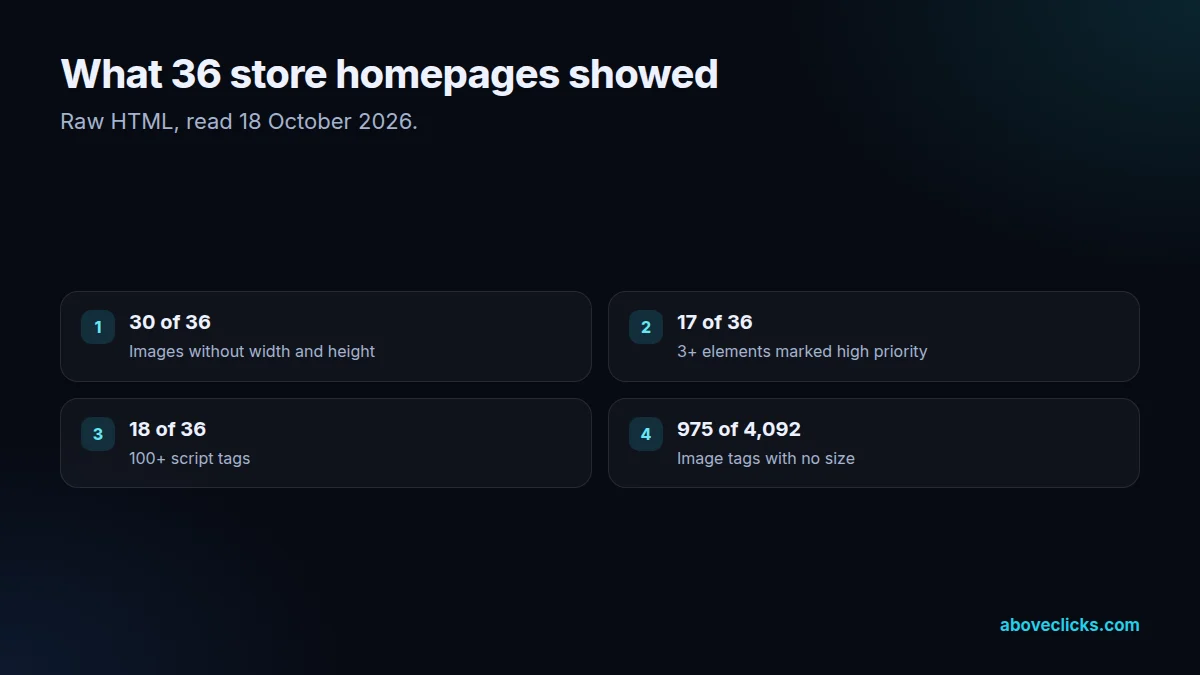
We also read the raw HTML of 36 store homepages on 18 October 2026 to see how common these causes are. 30 of the 36 had images without width and height, 975 of 4,092 image tags in total. 17 marked 3 or more elements as high priority, which defeats the point of the hint. 18 carried 100 or more script tags. None of that needs a new theme; each one is a fix in the code you already have.
Every change is made on a copy of the theme, checked with Lighthouse and on real phones, and compared with the old version before it goes live. Then we check that tracking events still fire and apps still work. Speed work that breaks a purchase pixel or a review widget isn’t a win.
Last, we start validation. In Search Console, Start Tracking opens a 28-day monitoring session; if no URL in the group shows the issue in that window, the issue is marked fixed. We report lab results at once and field data when validation ends. Since March 2024, INP has replaced First Input Delay as the responsiveness metric, as web.dev announced, so older advice about FID no longer applies.

What’s included
Every Poor or Needs improvement group from Search Console, with its metric and template.
The LCP element on each template and the time spent in each of the four parts.
Real taps on variant pickers, filters and cart recorded, with the scripts behind each slow one.
Each moving element found, with the cause and the reserved space or font fix.
Images, priority hints, scripts, banners and fonts changed in a copy of your theme.
Tracking, apps and design checked after every change.
Search Console validation started for each fixed issue, and field data reported at the end.
How we run it
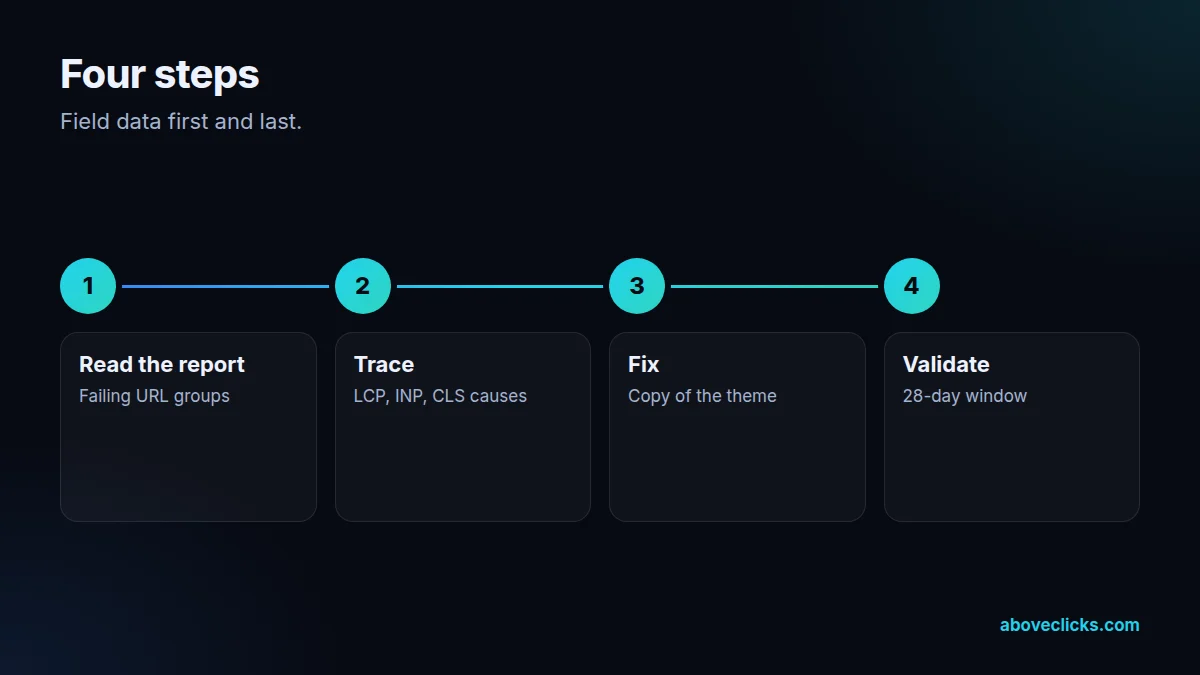
Field data first, then fixes, then field data again. Typical timing: the audit within 2 workdays, the fixes in 1 to 2 weeks depending on the size of the store, and a re-check once Google has crawled the changes.
Step 1
Failing URL groups, metrics and templates listed from Search Console.
Step 2
LCP parts, INP phases and layout shift sources measured on each template.
Step 3
Changes made on a copy of the theme, tested on real phones and with Lighthouse.
Step 4
Search Console validation started and tracked through the 28-day window.
Pricing
The audit is free. Paid work starts at these prices, and your exact cost is fixed in writing before any work begins.
Free no obligation
A short audit of your store first, so the plan fits the real work.
Get my free auditAfter the audit
From $400 one-off
The failing URL groups fixed in your theme and validated.
From $100 monthly
Checks after app installs and theme updates, so the gains stay.
All prices are starting prices in US dollars. Custom work beyond these options is quoted after the audit.
Every month
Our own rebuilt site’s Lighthouse report and Search Console results from stores where we run SEO are on our technical SEO audit page.
Pricing
We quote after a short audit, once we’ve seen the account or the store, so the number is based on the real work. The cards above show where each option starts, in US dollars, and your price is agreed before work begins.
Start with the free audit to get a quote for your store.
By industry
Theme Liquid, app embeds and section settings. Fixes follow Shopify’s theme performance guidance, and app scripts are the most common INP cause.
Hosting and caching matter more for LCP, and plugins add scripts and styles to every page unless they are loaded only where needed.
Fewer scripts by default, but lazy-loaded heroes and client-side rendering can still fail LCP, so the same trace applies.
Sources
Platform rules change. These are the official pages we check the work against, so you can check it too.
FAQ
Can’t find yours? Ask on WhatsApp or by email and we’ll answer it.
LCP of 2.5 seconds or less, INP of 200 milliseconds or less and CLS of 0.1 or less, measured at the 75th percentile of real visits.
They are part of the page experience Google’s ranking systems look at, alongside many other signals. Relevant, helpful content still matters more than a perfect score.
The score at the top of PageSpeed Insights is a single lab test. Search Console uses 28 days of real visits, often on slower phones, so the two can disagree.
Validation runs for 28 days after you start it. Lab tests show the change the same day, but the report only turns green when field data catches up.
Sometimes for one metric, rarely for all three. Most failures come from the theme and other apps, and some speed apps add scripts of their own.
The one failing on the URL groups with the most traffic, usually LCP on product and collection pages on mobile.
Related guides
E-commerce SEO
Affordable SEO is a scoping decision, not a shopping decision. This guide shows what a small budget actually buys, what to buy…
E-commerce SEO
Email marketing cost is five bills in one: the tool, the list, the sends, the flows and the people. This guide prices…
E-commerce SEO
PPC pricing has two parts: money paid to the platform for clicks, and money paid to the person or agency managing the…
Free growth audit
Tell us about your store. We’ll review your tracking, campaigns and SEO and send you a written audit with the top fixes, ranked by impact.