Buying guides
Web design and SEO packages: what the SEO half of a website project should cover
What a web design and SEO package should cover in each of its 5 phases, from the page plan to the first…
Video & social · Explainer videos
We make animated explainer videos for businesses whose product, service or process takes too long to explain in text. Each explainer video runs 60 to 120 seconds, with a script, storyboard, motion graphics and narration. This is our strongest format: it needs no filming at all, so we make it fully in-house.
200+ clients served 500+ projects delivered
Free explainer video brief review
Three fields and you’re done. We look at what you have, say what we’d make and how, and check it against the problems we see most often:
Your plan comes by email as a PDF. If you want to discuss going ahead after reading it, we’ll set up a video meeting. We use your details only for this review.
Fit
Not the right fit if you need live-action footage of people or places. We make animated and motion-graphic explainers; live action needs footage you or a creator film.
Problems we fix
Every feature squeezed into 90 seconds, so nothing sticks.
Written for the team that built it, not the buyer who has never heard of it.
Diagrams that look good and show the process incorrectly.
A flat text-to-speech read with mispronounced names and no pauses.
Most feed viewers watch on mute, so the whole explanation is lost.
Made at great effort, then hidden on a page nobody visits.
In 1:10 · animated
A short animated walk-through of the first checks in our audit. No sound needed: everything is on screen, and the transcript is below.
What we check first in an explainer video, an animated explainer of 1:10 with on-screen captions and controls to pause.
Our approach
Part one is choosing the one thing to explain. An explainer video works when it answers one question well: how the service works, how to choose a size, what happens after you book. We collect the questions your sales team, inbox or reviews hear most, and pick the one that loses the most buyers. If there are 3 such questions, that’s 3 short explainers, not one long one.
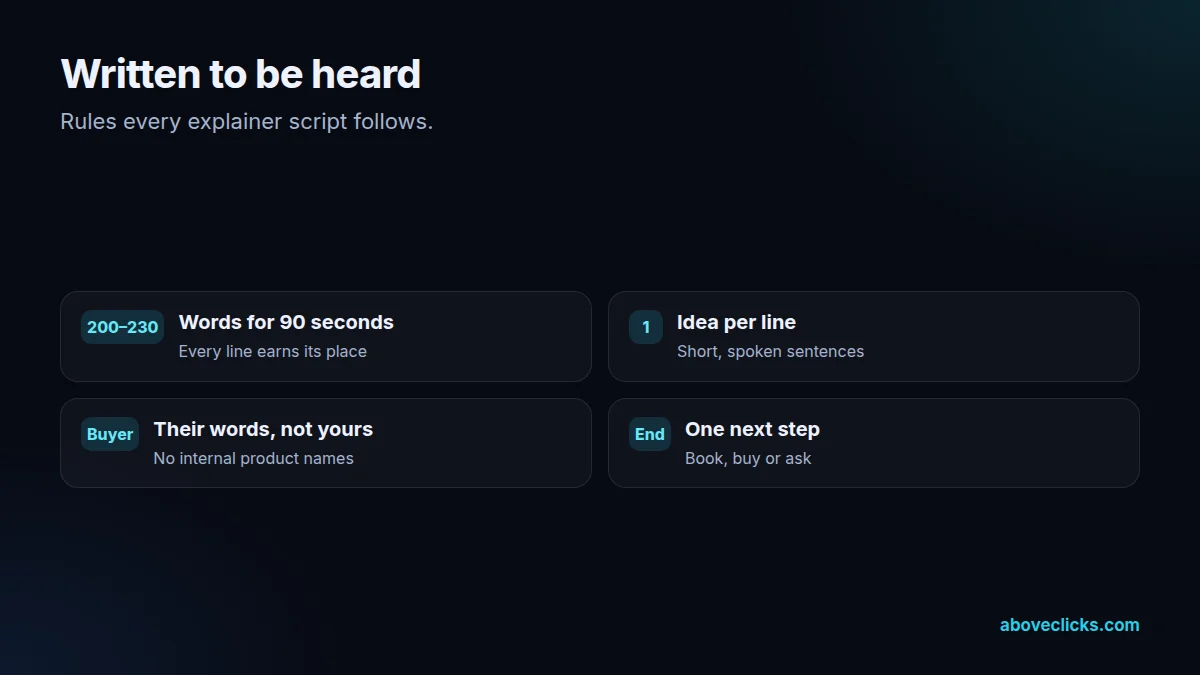
Part two is the script, written to be heard. Short sentences, one idea per line, the buyer’s words rather than your internal names, and a clear next step at the end. A 90 second explainer video is about 200 to 230 spoken words, so every line has to earn its place. You approve the script before any animation starts, because that’s where changes are cheap.
Part three is the storyboard: one frame per line of the script, showing what’s on screen while it’s said. This is where accuracy is checked. If the explainer shows a process, a product part or a rule, we check each frame against your documentation or the official source and fix it before animation, because a beautiful diagram that’s wrong does more harm than no video.
Part four is the animation. We build explainers with motion graphics and 2D animation in our own Remotion-based pipeline, with your colours, fonts and logo, simple icon-style characters where people are needed, and 3D product shots in Blender when the product is physical. That pipeline has produced full course explainer series, so a set of explainers keeps one consistent look. Our client video work is shown anonymously: see real campaign results in our YouTube Ads results and TikTok Ads results.
Part five is the voice and captions. Narration is a professional voice-over you arrange, your own recording, or a disclosed AI voice that we direct line by line for pace and pronunciation. Captions are burned in for social and supplied as a file for YouTube and your site. The W3C’s WCAG guidance on captions treats captions on pre-recorded video as a Level A requirement, the most basic level.
Then the explainer video goes where the question is asked: on the service or product page next to the text it explains, in the booking or checkout flow, in the welcome email, and as a 9:16 cut for Reels, TikTok and Shorts. On your own site, a watch page and VideoObject markup help Google find it, as described in Google’s video structured data documentation.
Animated explainers age slowly, but facts change. We keep the project files, so when a price, rule or step changes, we update the frames that changed instead of starting again. A set of explainers can also share one visual system (the same colours, icon style, type and narrator), which keeps a series consistent when new videos join it months later and makes each update cheaper than the first video. Before handover we watch every explainer on a phone with the sound off, because that is how most people will first see it, and fix any caption or frame that doesn’t read at that size.

How we use AI here
AI drafts script options and rough storyboard frames for planning; a person rewrites the script and draws the final frames to brand.
A disclosed AI voice, directed line by line, when you don’t want to record. Names and terms are checked by ear.
Where it doesn’t help: accuracy. AI image tools draw convincing diagrams that are wrong. Every frame that shows a process, product or rule is checked against your documentation or the official source.
What’s included
The question your buyers ask most, from sales calls, inbox and reviews.
About 200 to 230 spoken words for a 90 second video, approved by you.
One frame per script line, checked for accuracy before animation.
Motion graphics and 2D animation in your brand colours and fonts.
Your voice, a voice-over artist you choose, or a disclosed AI voice.
Burned-in captions for social and a caption file for YouTube and your site.
16:9 master plus 9:16 and 1:1 cuts for social and ads.
How we run it
One question, a spoken script, a checked storyboard, then animation. Typical timing: the script within 1 week, the first cut in about 2 weeks, and final files within 2 workdays of your feedback.
Step 1
Pick the one thing the video must explain.
Step 2
Written to be heard, approved by you.
Step 3
Every frame checked for accuracy.
Step 4
Motion, voice, captions and versions.

Pricing
The brief review is free. Paid work starts at these prices, and your exact cost is fixed in writing before any work begins.
Free no obligation
Tell us about your product and what buyers misunderstand. You get a written plan and a fixed quote before any paid work.
Get my free reviewAfter the brief review
From $600 one-off, per video
Script, design, voice-over and animation.
From $150 one-off, per set
Short cuts for ads and social.
All prices are starting prices in US dollars. Custom work beyond these options is quoted after the review.
Per project
Two revision rounds are included, and a 90-second explainer typically takes 2 to 3 weeks from script to final animation.
Pricing
We quote after a short audit, once we’ve seen the account or the store, so the number is based on the real work. Each project is a fixed one-off cost, agreed before work starts: from $600 per video.
Start with the free audit to get a quote for your store.
By industry
For jewelry, explainers answer sizing, metal care and how custom orders work, the questions that stall a high-value order.
For fashion, a short explainer on fit, size charts or the returns process saves the same email being written a hundred times.
For luxury and high-ticket items, an explainer can show authentication, provenance or the care service that justifies the price.
Sources
Platform rules change. These are the official pages we check the work against, so you can check it too.
FAQ
Can’t find yours? Ask on WhatsApp or by email and we’ll answer it.
A short video, usually animated, that explains how a product, service or process works in 60 to 120 seconds, so buyers understand it before they ask.
Usually 60 to 120 seconds, which is about 150 to 300 spoken words. If you need longer, split it into several short explainers, one question each.
No. Our explainers use motion graphics, 2D animation and 3D product shots, so they’re made fully in-house without any filming.
Yes. Every explainer uses your colours, fonts and logo, and a set of explainers keeps one consistent style.
You, a voice-over artist you choose, or a disclosed AI voice that we direct line by line for pace and pronunciation.
Yes. We keep the project files, so when a step or rule changes we update the frames that changed instead of starting again.
They can. On a watch page with matching text and VideoObject markup, a video can appear in Google’s video results and helps the page answer the question.
Every storyboard frame that shows a process, product or rule is checked against your documentation or the official source before animation starts.
Related guides
Buying guides
What a web design and SEO package should cover in each of its 5 phases, from the page plan to the first…
Buying guides
A 6-step way to pick an SEO company: decide what you need, ask the questions Google itself suggests, check proof the right…
Buying guides
A side-by-side of Omnisend and Klaviyo as of October 2026: free plan limits, how each platform counts billable contacts, the channels each…
Free growth audit
Tell us about your store. We’ll review your tracking, campaigns and SEO and send you a written audit with the top fixes, ranked by impact.