Measurement
MER vs ROAS: which number to manage to
MER vs ROAS comes down to scope: MER judges all ad spend against all revenue, while ROAS judges one channel's spend against…
Tracking & Analytics · Attribution
We set up ecommerce attribution for Shopify and WooCommerce stores whose ad platforms claim more sales than the store made. You get GA4, Google Ads and Meta reconciled against real orders, each platform’s settings explained, and a budget view built on total revenue and tests.
200+ clients served 500+ projects delivered
Free and no obligation. Read access to your ad accounts helps, but isn’t needed to start.
Free attribution audit
Three fields and you’re done. We line up last month’s revenue in Shopify or WooCommerce with what GA4, Google Ads and Meta each report, and write up where the gap comes from.
Your PDF report comes by email. If you want to discuss going ahead after reading it, we’ll set up a video meeting. We use your details only for this audit.
Proof
A Google Ads report and three Meta Ads Manager reports from client stores, the same 28 days, 20 September to 17 October 2026. Clients are anonymized and shown with permission. Each number is what the platform reports under its own attribution setting, not orders matched in Shopify.


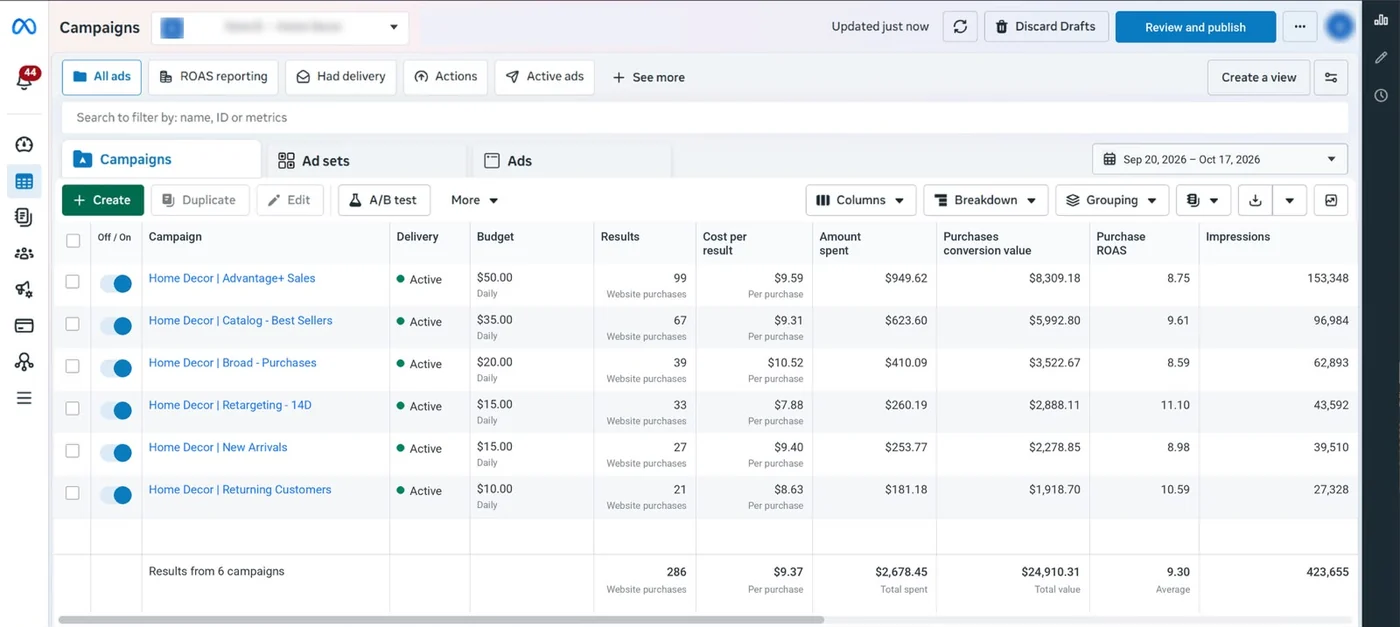
What the proof shows
These are real campaign reports from stores we run ads for. Each one is a platform grading its own work: Google counts conversions under its model, Meta under its attribution setting, and a sale touched by both can appear in both. That is the problem ecommerce attribution solves, and why we never add platform numbers together.
We hold this site to the same ecommerce attribution standard. Its tracking respects consent mode, and when we changed the tracking script we tested the old and new versions side by side before switching, rather than trusting a single report.
What we check
Most ecommerce attribution gaps aren’t mysteries. They come from a short list of settings and tracking faults.
GA4 and Google Ads may use data-driven or last click; Meta uses its own attribution setting.
A 90-day lookback in GA4 and a click window of several days in a Meta ad set: the same sale can fit both.
Meta can count purchases after someone only saw an ad; GA4 needs a visit.
Missing, duplicated or late purchase events, often after a checkout or theme change.
Visitors who decline cookies are modelled or missing, differently in each tool.
Sales that would have happened anyway, credited to the last ad clicked.
In 1:10 · animated
A short animated walk-through of the first checks in our audit. No sound needed: everything is on screen, and the transcript is below.
What we check first in ecommerce attribution, an animated explainer of 1:10 with on-screen captions and controls to pause.
How we work
Ecommerce attribution starts with the one number nobody argues about: orders and revenue in Shopify or WooCommerce. We pull last month’s orders and line them up with what GA4, Google Ads and Meta each report. If the platforms together claim far more revenue than the store made, that gap is the starting point, and its causes are usually in the list above.
Tracking comes before models. We place test orders and check that each purchase arrives once in every tool, with the right value, currency and order ID, and that consent mode works as it should. A model built on missing or doubled purchases is worse than no model. Our tracking and analytics service fixes these first if the audit finds them.
Then the settings. As of October 2026, GA4 offers three models in its attribution reports: data-driven, paid and organic last click, and Google paid channels last click, according to Google’s page on attribution settings, which also says first click, linear, time decay and position-based were removed in November 2023. The key event lookback window defaults to 90 days, with 30 or 60 as options. Google Ads uses data-driven or last click, per its page on attribution models. Meta credits purchases that happen within a set number of days after someone views or clicks an ad, under the attribution setting on each ad set, as its attribution system page explains. We document every setting so you know what each number means.
We don’t try to make the platforms agree, because they can’t. Each one sees only its own ads. Instead we give you one view for budget decisions: the marketing efficiency ratio (total revenue divided by total ad spend), new-customer revenue from the store, and each channel’s reported numbers beside it. When MER holds while one channel claims a jump, that claim gets a closer look.
For the biggest budget questions, we test. A holdout test, such as pausing a channel in some regions or for a set period while others carry on, shows incrementality: the sales that would not have happened without the ads. Meta and Google offer lift studies to eligible advertisers, and a simple geographic split works for smaller ones. One clean test answers more than a year of debating dashboards.
Last, the report. Each month you get orders and revenue from the store, MER, new-customer share, each platform’s claimed revenue with its model and window noted, and any test results. The comparison with Google Ads’ own model comparison view shows which campaigns last click undervalues, so budget moves are made with eyes open.
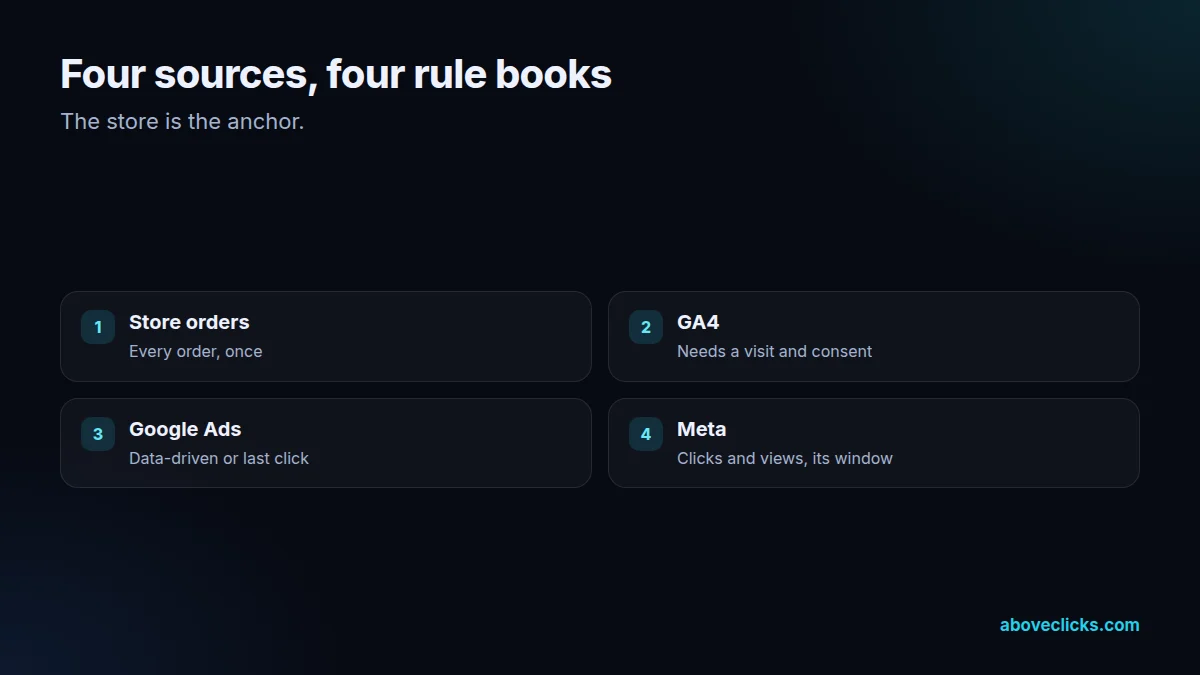
What’s included
The audit is free. If you want us to fix and run ecommerce attribution, this is the work.
Store orders and revenue lined up with every platform’s claim, month by month.
Test orders through GA4, Google Ads and Meta, with duplicates and gaps fixed.
Each platform’s model, window and counting method written down in plain words.
MER, new-customer revenue and platform-claimed revenue in one place.
A holdout or lift test designed for your biggest budget question.
The budget view updated, with what changed and why.
A short guide so your team reads the numbers the same way.
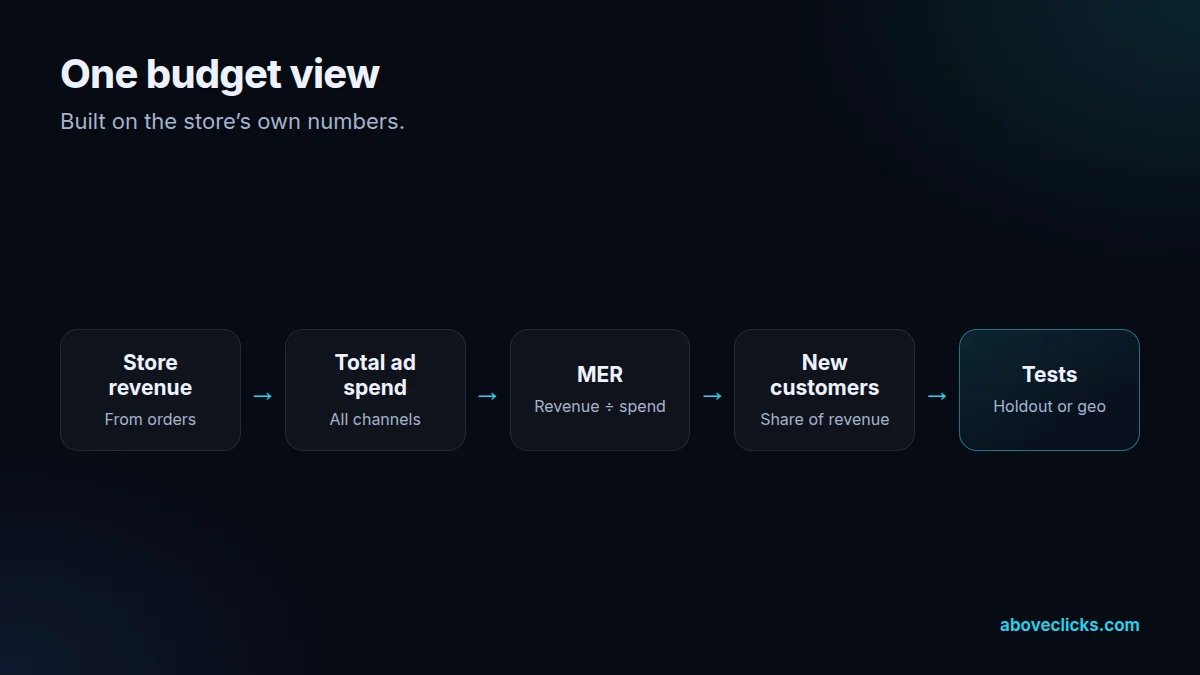
How we work
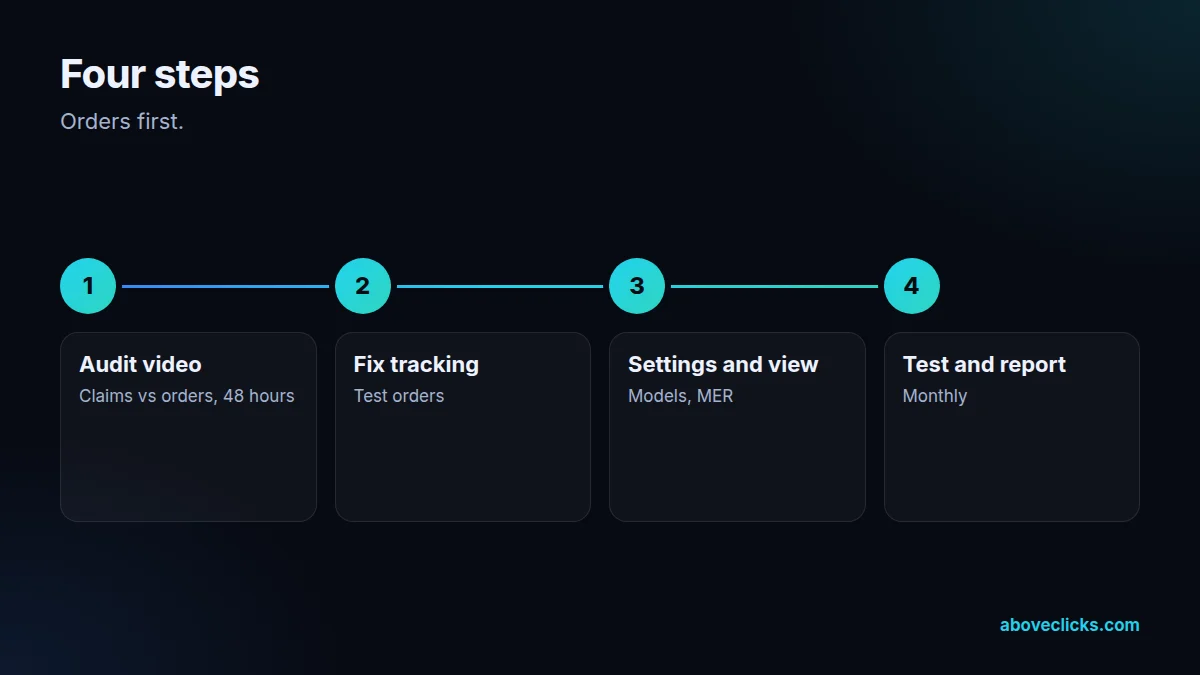
Nothing is charged until you have seen your ecommerce attribution gap and the plan.
Step 1
You send the store URL; within 2 workdays you get the comparison report as a PDF.
Step 2
Purchase events made accurate in every tool before anything else.
Step 3
Settings documented and the budget view built on store revenue.
Step 4
One incrementality test, then a monthly report.
Fit
Not the right fit if you run one ad channel with a small budget. Platform reporting plus your store’s revenue is enough there, and we will say so.
Pricing
The audit is free. Paid work starts at these prices, and your exact cost is fixed in writing before any work begins.
Free no obligation
We’ll compare what your platforms claim with your orders and send a PDF report within 2 workdays.
Get my free auditAfter the audit
From $500 one-off
Tracking fixed first, then one view of what each channel really brings in.
From $200 monthly
The numbers checked and explained each month.
All prices are starting prices in US dollars. Custom work beyond these options is quoted after the audit.
After the audit
The PDF report and the comparison table are yours to keep either way.
Pricing
Every store is different, so we don’t quote before we’ve seen it. Within 2 workdays of the audit you get a fixed-scope plan with the cost and timeline. The cards above show where ecommerce attribution setup starts, in US dollars.
The attribution audit itself is free. Send your store URL to get it.
Sources
Each ecommerce attribution setting on this page traces back to these pages, so you can check them yourself.
FAQ
Can’t find yours? Ask on WhatsApp or by email and we’ll answer it.
It is deciding which marketing touchpoints get credit for a sale. In practice, it means reconciling what each ad platform claims with your real orders and choosing a fair way to judge each channel.
Each platform only sees its own ads and credits a sale under its own rules. A shopper who saw a Meta ad and clicked a Google ad can be counted by both.
Data-driven is usually the best start, as it shares credit across touchpoints based on your own data. Use the paid and organic last click model to compare.
MER, the marketing efficiency ratio, is total revenue divided by total ad spend. It can’t be double counted, so it is a steady check on what the platforms claim.
It is the share of sales that only happened because of an ad. You measure it with a holdout or lift test, comparing people or regions that saw the ads with ones that didn’t.
No. Cookie consent, multiple devices and offline influence mean some sales can’t be traced. The aim is numbers good enough to make budget decisions with confidence.
Your free attribution audit
Same comparison, same PDF report, no obligation. If your ecommerce attribution already adds up, the report says so.
Related guides
Measurement
MER vs ROAS comes down to scope: MER judges all ad spend against all revenue, while ROAS judges one channel's spend against…
E-commerce SEO
Affordable SEO is a scoping decision, not a shopping decision. This guide shows what a small budget actually buys, what to buy…
E-commerce SEO
Email marketing cost is five bills in one: the tool, the list, the sends, the flows and the people. This guide prices…