Buying guides
Web design and SEO packages: what the SEO half of a website project should cover
What a web design and SEO package should cover in each of its 5 phases, from the page plan to the first…
Custom solutions · Email broadcasting
Sending one email to fifty thousand people is easy; our email broadcasting gets it into the inbox, not the spam folder. That is the hard part, since Gmail and Yahoo have enforced strict rules for bulk senders since 2024. We set it up on the platform that suits you, or build a custom email broadcaster on a reliable sending service, with authentication, unsubscribe handling, list hygiene and monitoring done properly. Our team has run campaigns in Klaviyo, Mailchimp and Zoho, and builds custom senders when those don’t fit.
200+ clients served 500+ projects delivered
Free email review
Three fields and you are done. We review your list and past sends, then send a broadcast plan for the next month.
Your PDF report comes by email. If you want to discuss going ahead after reading it, we’ll set up a video meeting. We use your details only for this audit.
Fit
Not the right fit for sending to bought or scraped lists. It breaks Gmail’s and Yahoo’s rules, anti-spam laws and every sending service’s terms, and it ruins the domain for everyone in your company.
Problems we fix
No SPF, DKIM or DMARC, or a From domain that doesn’t align with them, so mailbox providers can’t trust the mail.
Gmail requires it for bulk marketing mail; without it, people press “report spam” instead.
Bounced addresses, years-old contacts and spam traps drag down everything you send.
Gmail asks senders to keep reported spam below 0.3%. Untargeted blasts go over it fast.
A new domain or IP sending tens of thousands of emails on day one looks like a spammer.
No Postmaster Tools, no bounce handling, no reports, so problems surface only when sales drop.
In 1:10 · animated
A short animated walk-through of the first checks in our audit. No sound needed: everything is on screen, and the transcript is below.
What we check first before bulk email, an animated explainer of 1:10 with on-screen captions and controls to pause.
Our approach
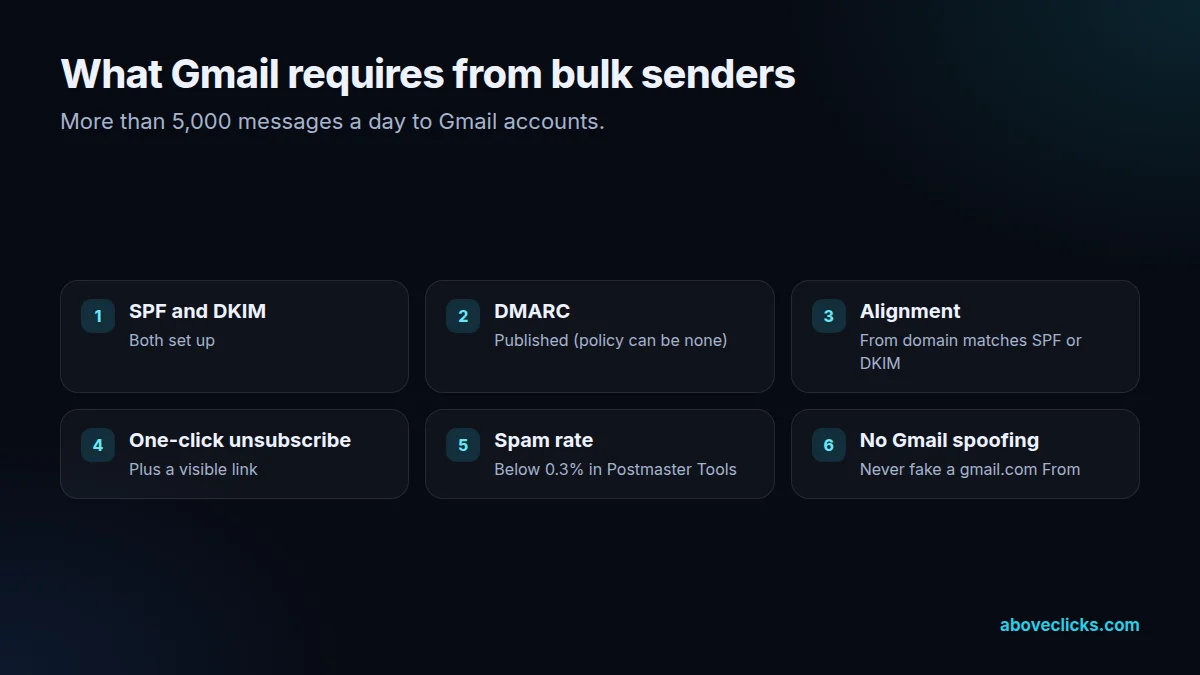
We start from the rules mailbox providers publish. Google’s email sender guidelines say that senders of more than 5,000 messages a day to Gmail accounts must set up SPF, DKIM and DMARC, align the From domain with SPF or DKIM, support one-click unsubscribe for marketing mail with a visible unsubscribe link, and keep spam rates reported in Postmaster Tools below 0.3%. Yahoo’s sender best practices set similar requirements. We check your domain against all of them first.
Then the platform decision. For online stores, a marketing platform such as Klaviyo is usually right, because flows and segments matter more than raw sending. For newsletters, member communications or very large lists, a simpler broadcaster can cost far less. We’ve worked with Klaviyo, Mailchimp and Zoho, and choose based on your list size, budget and what your team will use every week.
When no platform fits, we build a custom email broadcaster. It sends through an established sending service such as Amazon SES, reads contacts and segments from your own systems, schedules sends, personalises content, processes bounces and complaints automatically, handles unsubscribes with the one-click unsubscribe standard (RFC 8058) and reports opens, clicks and revenue. Our developer-led team builds it with AI-assisted development, and reviews and tests every change before it ships.
List hygiene is the quiet half of deliverability. We remove hard bounces, suppress complainers, confirm new sign-ups where it helps, and move contacts who haven’t opened in a long time to a re-engagement series before removing them. Smaller, engaged lists reach the inbox more often than big, tired ones.
Warm-up and monitoring come last. New domains or dedicated IPs start with the most engaged contacts and grow volume over weeks. We set up Google Postmaster Tools and DMARC reports, watch bounce and complaint rates per send, and keep a record so a problem can be traced to the email that caused it.
And the law. Commercial email needs a truthful sender and subject, a physical address and a working opt-out under rules such as the US CAN-SPAM rule (16 CFR Part 316); consent rules are stricter in other markets. We build those requirements into the templates and sign-up forms, not just the policy page.
How we use AI here
AI drafts variants for testing; a person picks and edits them so claims stay accurate and on brand.
Scripts compare bounce and complaint rates per send with the usual range and alert us when something looks wrong.
Where it doesn’t help: buying trust. No AI tool can make mail from an unauthenticated domain or an unconsented list land in the inbox. The fundamentals do that.
What’s included
SPF, DKIM, DMARC, alignment, unsubscribe headers, list health and reputation checked.
The right platform for your use, or a custom broadcaster on a sending service.
SPF, DKIM and DMARC published and aligned, with DMARC reports.
List-Unsubscribe headers and a visible link, processed automatically.
Bounces and complainers suppressed, inactive contacts re-engaged or removed.
Volume increased step by step, starting with engaged contacts.
Postmaster Tools, bounce and complaint rates, opens, clicks and revenue.

How we run it
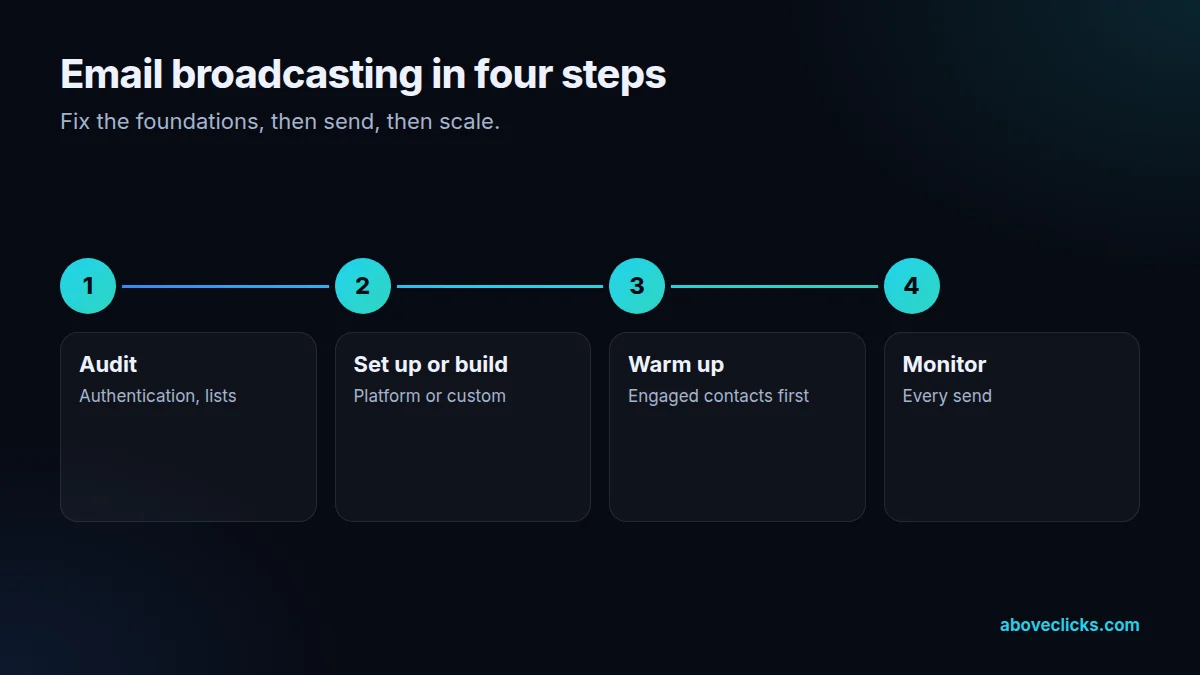
Fix the foundations, then send, then scale. Typical timing: the audit within 2 workdays, setup in about a week, warm-up over 2 to 4 weeks, then monitoring.
Step 1
Domain authentication, list health and current results checked.
Step 2
Platform configured or custom broadcaster built and tested.
Step 3
Engaged contacts first, volume increased gradually.
Step 4
Deliverability and results watched per send, list kept clean.
Pricing
The audit is free. Paid work starts at these prices, and your exact cost is fixed in writing before any work begins.
Free no obligation
Tell us your list size and we will plan your broadcasts within 2 workdays.
Get my free auditFixed scope
From $300 one-off
Templates, segments and the first month of broadcasts ready to send.
From $250 monthly
Broadcasts written, sent and reported each month.
All prices are starting prices in US dollars. Custom work beyond these options is quoted after the audit.
By industry
Jewelry brands send fewer, richer emails around gifting dates. Authentication and clean lists make sure those few count.
Fashion brands send often. List hygiene and engagement-based sending stop frequent campaigns from hurting deliverability.
High-ticket stores email small, valuable lists. Every inbox placement matters, so monitoring per send pays off.
Sources
Platform rules change. These are the official pages we check the work against, so you can check it too.
FAQ
Can’t find yours? Ask on WhatsApp or by email and we’ll answer it.
Sending one email to many people at once, such as a newsletter, an offer or an announcement, as opposed to automated flows triggered by each person’s actions. It’s also called bulk email.
Usually a mix of missing or misaligned authentication (SPF, DKIM, DMARC), no one-click unsubscribe, old or unclean lists and high spam complaint rates. We check each one and fix them in order.
Senders of more than 5,000 messages a day to Gmail must set up SPF, DKIM and DMARC, align the From domain, support one-click unsubscribe for marketing mail and keep reported spam below 0.3%.
Only if platforms don’t fit: very large lists where per-contact pricing hurts, sending from your own systems, or special reporting. Otherwise an existing platform is simpler.
We’ve worked with Klaviyo, Mailchimp and Zoho, and build custom broadcasters on sending services such as Amazon SES. We recommend based on your use, not on a partnership.
Yes: bounces and complainers suppressed, inactive contacts re-engaged or removed, and sign-up forms fixed so new contacts are real and consenting.
Usually several weeks for a new domain or dedicated IP, starting with the most engaged contacts and raising volume as bounce and complaint rates stay low.
It depends on the law where they live and how you collected their address. We check your consent wording and set up the safest route for each market.
Related guides
Buying guides
What a web design and SEO package should cover in each of its 5 phases, from the page plan to the first…
Buying guides
A 6-step way to pick an SEO company: decide what you need, ask the questions Google itself suggests, check proof the right…
Buying guides
A side-by-side of Omnisend and Klaviyo as of October 2026: free plan limits, how each platform counts billable contacts, the channels each…
Free growth audit
Tell us about your store. We’ll review your tracking, campaigns and SEO and send you a written audit with the top fixes, ranked by impact.