The CPC cost per click formula is total cost divided by total clicks. The number is only useful if you know which CPC you are reading and what a click is worth to you.
This guide covers the CPC cost per click formula as Google Ads defines it in October 2026, how it differs from your max bid, and a second formula that tells you the most a click can cost before you lose money. Every budget and result below is an invented worked example.
What is the CPC cost per click formula?
The CPC cost per click formula is average CPC = total cost of clicks ÷ total number of clicks. Google Ads Help defines average CPC as the average amount you have been charged for a click, calculated in exactly this way.
Google’s own example: an ad gets two clicks, one costing $0.20 and one costing $0.40. The total cost is $0.60, and dividing by 2 clicks gives an average CPC of $0.30.
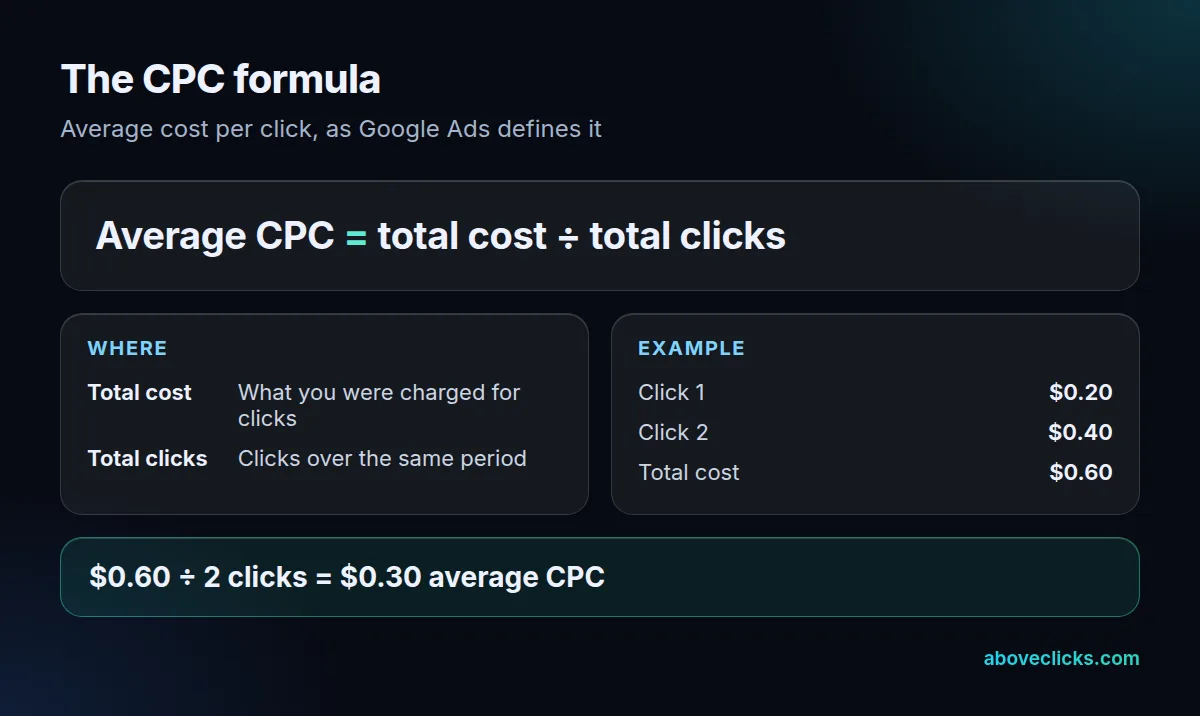
That is the whole cost per click formula. It works for any period and any level: an ad group, a campaign or a whole account. Two things change what the answer means. The first is which clicks you include, because a campaign mixed with branded and non-branded searches blends two very different costs. The second is whether the result is an average or the cost of one click, because the auction charges each click differently.
How do you calculate average CPC?
Add up the cost of the clicks, then divide by the number of clicks over the same dates. The average CPC formula needs two numbers from the same report, so pull both for the same campaign, device and date range.
Take an invented store with two campaigns in a month. Campaign A got 1,000 clicks for $500, so its average CPC is $0.50. Campaign B got 100 clicks for $200, so its average CPC is $2.00.
The right account figure is the total cost divided by the total clicks: $700 ÷ 1,100 clicks = $0.64. The wrong one is the average of the two averages, ($0.50 + $2.00) ÷ 2 = $1.25. The wrong figure doubles the real one because it gives a campaign with 100 clicks the same weight as one with 1,000.
Use the same method for any CPC formula you build in a spreadsheet: sum the cost column, sum the click column, and divide the totals. Never average a column of percentages or averages.
The related ratios use the same shape. Google defines CTR as clicks ÷ impressions, so 5 clicks from 100 impressions is a 5% CTR. It defines the conversion rate as conversions ÷ interactions, so 50 conversions from 1,000 interactions is 5%.
What is the difference between actual CPC and max CPC?
Your max CPC is the most you are willing to pay for a click; your actual CPC is what you are charged. The actual figure is often less, sometimes much less, according to Google’s definition of actual CPC.
Google explains why: in the auction you pay only what is needed to clear the Ad Rank thresholds and beat the advertiser immediately below you. If nobody is below you, you pay the reserve price. So a max CPC of $2.00 does not mean $2.00 per click.
There is one exception worth knowing. The same page says your actual CPC may exceed your max CPC if, for example, you have enabled Enhanced CPC. Read your bid settings before you assume the max is a hard cap.
Position matters too. Google says the actual CPC for ads above the search results is often higher than for ads below them, because the thresholds are typically higher at the top. When you compare a cost per click formula result across campaigns, check where the ads appeared.
Google’s bid strategy guide puts it as a choice of goal: if you want traffic, focusing on clicks and CPC bidding may suit you; if you want a direct action on your site and have conversion tracking, Smart Bidding may be better. Our target ROAS bidding guide covers that second route.
How do you work out the CPC you can afford?
Multiply the profit you make on an order by your conversion rate. The result is the break-even CPC: the most one click can cost before you lose money. This is the most useful CPC formula, because it replaces a vague “is this CPC high?” with a number.
Take an invented store with a $60 average order and a 40% margin. Profit per order is $60 × 0.40 = $24. If 2% of clicks become orders, each click is worth $24 × 0.02 = $0.48.
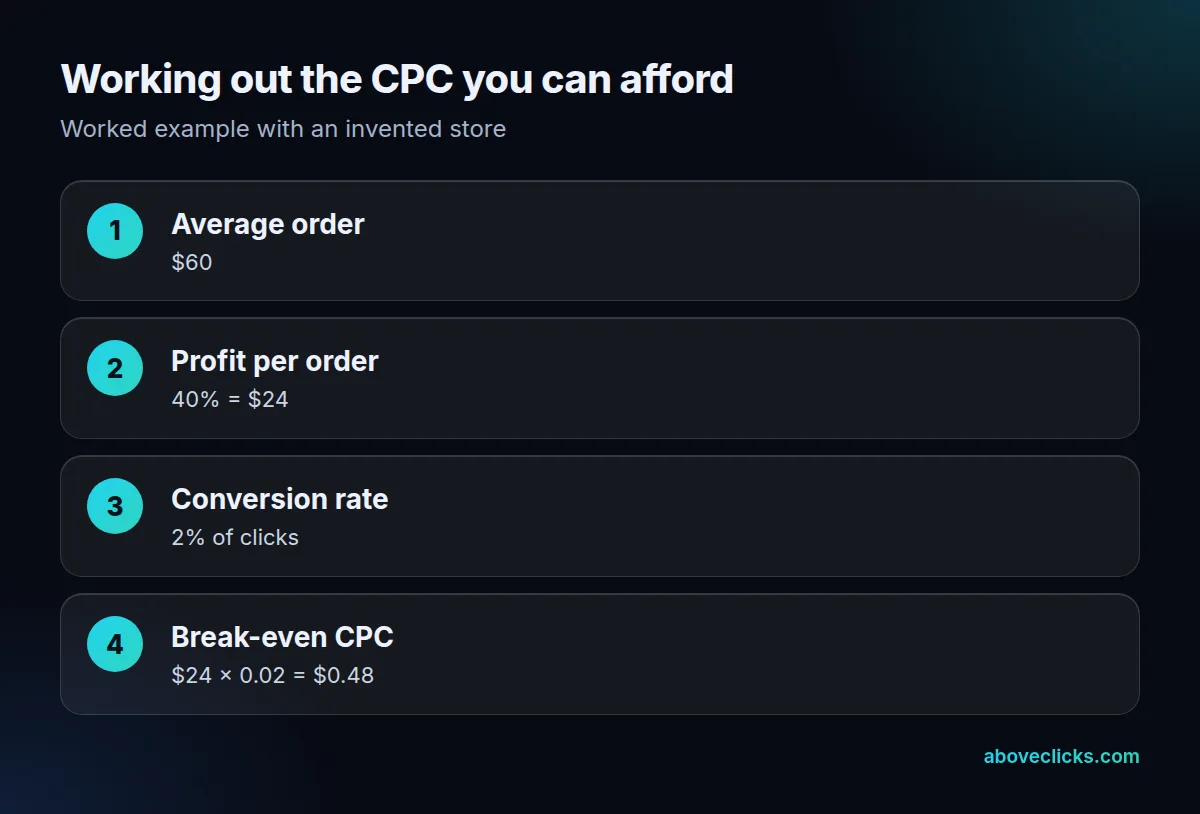
Now compare. At an actual CPC of $0.40 the store makes $0.08 per click. At $0.70 it loses $0.22 per click, even though $0.70 is not an unusual CPC. The same CPC can be cheap for one store and ruinous for another, so a benchmark from someone else’s account says little about yours.
Two ways to move the answer: raise the conversion rate, which lifts the break-even CPC without changing your bids, or lift the margin. Our PPC pricing guide covers what management and ad spend cost on top of this, and a free audit can check where your account’s clicks are leaking.
To use a target instead of break-even, subtract the profit you want per click. If the store above wants $0.10 profit per click, its target CPC is $0.38.
Recalculate whenever your inputs change. A price rise lifts the profit per order, a discount cuts it, and a checkout fix can move the conversion rate within days. Put the three inputs in a small sheet with one row per campaign, so the break-even CPC updates beside the actual CPC you read from the report each week. Review it monthly, and after any sale, because a discount lowers the margin and so the CPC you can afford.
How do you convert CPM to CPC?
Divide the CPM by 1,000 times the CTR written as a decimal. CPC = CPM ÷ (1,000 × CTR). Google defines CPM as bidding where you pay per one thousand views (impressions) on the Google Display Network.
Take an invented campaign with an $8 CPM and a 1% CTR. A thousand impressions cost $8 and produce 10 clicks (1,000 × 0.01), so each click costs $8 ÷ 10 = $0.80. In the formula: $8 ÷ (1,000 × 0.01) = $0.80.
Raise the CTR to 2% and the same $8 CPM gives 20 clicks, so the CPC halves to $0.40. That is the quick way to see why creative that earns more clicks lowers your cost per click without any bid change.
Use this conversion only for comparing formats, then judge by the break-even CPC above. A cheap CPM with a very low CTR can cost more per click than an expensive CPM with a high one.
Does a lower CPC mean a better campaign?
Not by itself. A lower CPC means each click costs less, and it says nothing about whether the clicks buy. The cost per click formula gives you the price of traffic; the break-even figure tells you whether that traffic pays.
Compare two invented ad groups for the store above, each spending $300 in a month. Ad group X pays $0.25 per click, so it buys 1,200 clicks. At a 0.5% conversion rate that is 6 orders, worth $144 of profit at $24 each, a loss of $156. Ad group Y pays $0.60 per click, so it buys 500 clicks. At a 3% conversion rate that is 15 orders, worth $360 of profit, a gain of $60.
Ad group Y has the higher CPC and the better result. That is why average CPC works as a diagnostic and not as a goal. If your average CPC rises while your orders and profit rise with it, the cost per click formula is reporting a healthier account, not a sicker one.
Use the metric in three ways:
- Trend: a sudden rise in average CPC with no change in bids often points to a new competitor or a lower Quality Score, so check the search terms.
- Segment: split by device, location and match type, because one segment can hide the cost problem of another.
- Gate: keep a segment running only while its CPC sits below its own break-even CPC.
What mistakes make a CPC look better than it is?
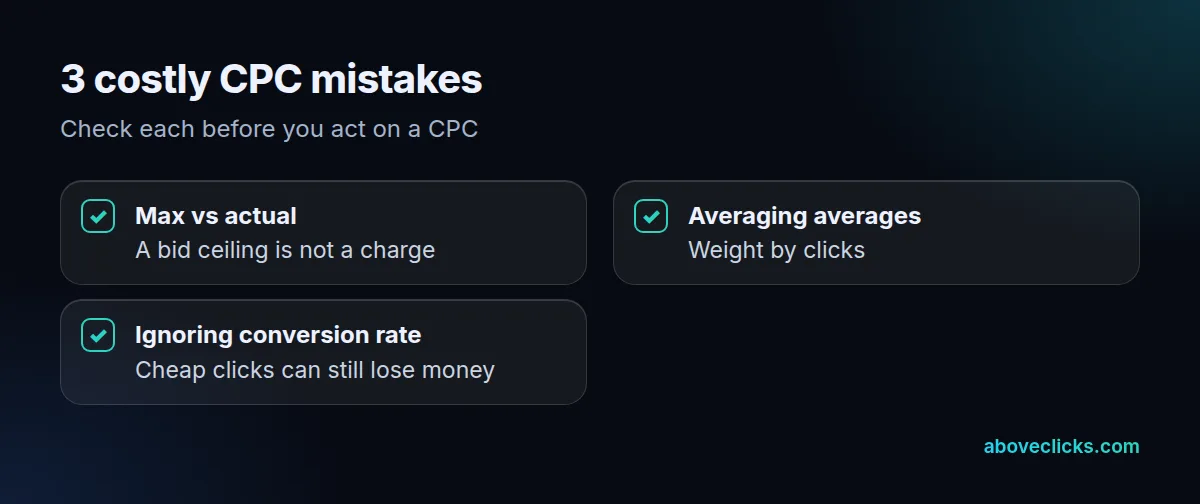
Three mistakes account for most wrong readings of the CPC cost per click formula. Check for each before you act on a number.
- Mixing max and actual CPC. A bid ceiling of $2.00 is not a charge. Read actual and average CPC from the report, and use max CPC only to understand your limit.
- Averaging averages. The worked example above shows $1.25 against a true $0.64. Always divide totals by totals.
- Ignoring conversion rate. A $0.20 click that never converts costs more than a $1.00 click that does. Compare CPC with the break-even figure, not with another account’s.
A fourth check: compare like with like. A CPC measured over a week with a sale, or one that mixes branded and non-branded searches, tells you little about next month. Split the report by campaign type and date range before you decide.
If you would like a second pair of eyes on your account, our Google Ads team reviews CPC, conversion tracking and bidding together, and more guides are in Google Ads topics.