Offline conversion import is a Google Ads feature for uploading sales that close away from your website, such as phone or showroom orders, and matching each one to the ad click that started it. The match uses the click's GCLID or, with enhanced conversions for leads, hashed customer data.
Offline conversion import is a Google Ads feature for uploading sales that close away from your website, such as phone or showroom orders, and matching each one to the ad click that started it. The match uses the click’s GCLID or, with enhanced conversions for leads, hashed customer data.
How does offline conversion import work in Google Ads?
You save the ad click’s ID when the visitor arrives, then upload it later with the sale. Google’s GCLID setup guide lists the requirements: auto-tagging on, code on every page, and somewhere to store each ID with the lead.

The ID is the GCLID that auto-tagging adds to every ad click, and Google notes it is case sensitive, so it has to be stored exactly as it arrived. Timing matters too: depending on the data source, Google’s Data Manager imports the last 14 or 90 days of conversions, so a sale uploaded months later can miss the window. Google also stresses marking each imported action correctly as primary or secondary, because Smart Bidding relies on those signals to optimise.
What changed in 2026?
2 things. Google now recommends enhanced conversions for leads instead of classic imports for anyone starting out, and from June 15, 2026, offline conversion and enhanced-conversions-for-leads uploads move from the Google Ads API to the Data Manager API.
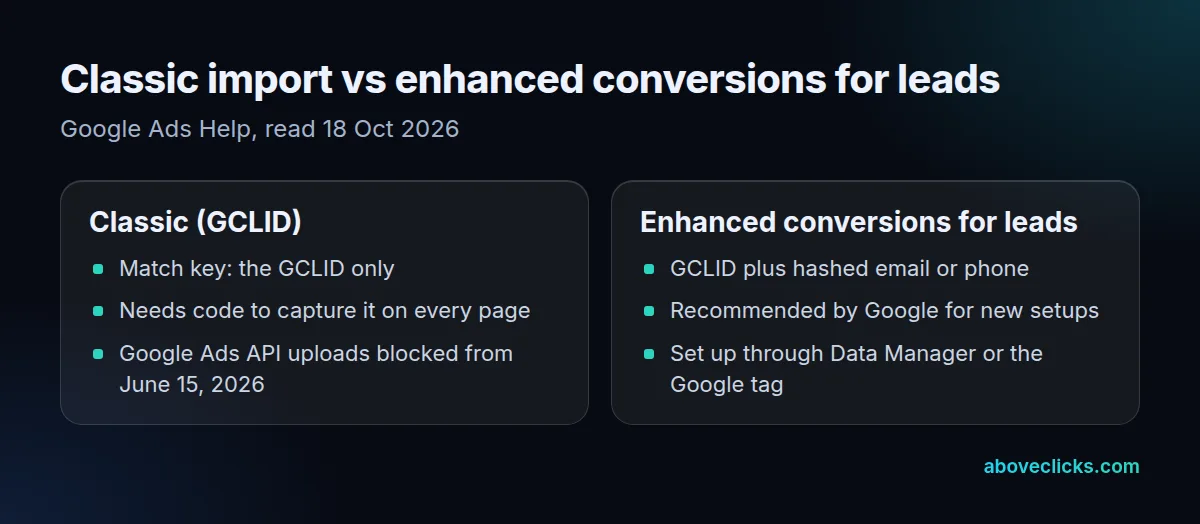
Google’s offline conversion imports page describes enhanced conversions for leads as “an upgraded offline conversion import that is easier to set up”, matching hashed email or phone numbers alongside the GCLID, much like enhanced conversions do online. Google reports that advertisers adding such data saw “a median 10% increase in conversions” compared with standard imports; that’s Google’s figure, not ours. If a developer built your uploads on the Google Ads API, check that they’ve moved. Google’s Data Manager is also the no-code route: it can pull conversions from Google Sheets, cloud storage, Salesforce or HubSpot on a schedule.
When does a store need it?
When ads start sales that your checkout never sees. Example: a hypothetical furniture store tracks 120 online orders a month with the Google tag, but another 45 customers clicked an ad, then phoned to order a sofa.
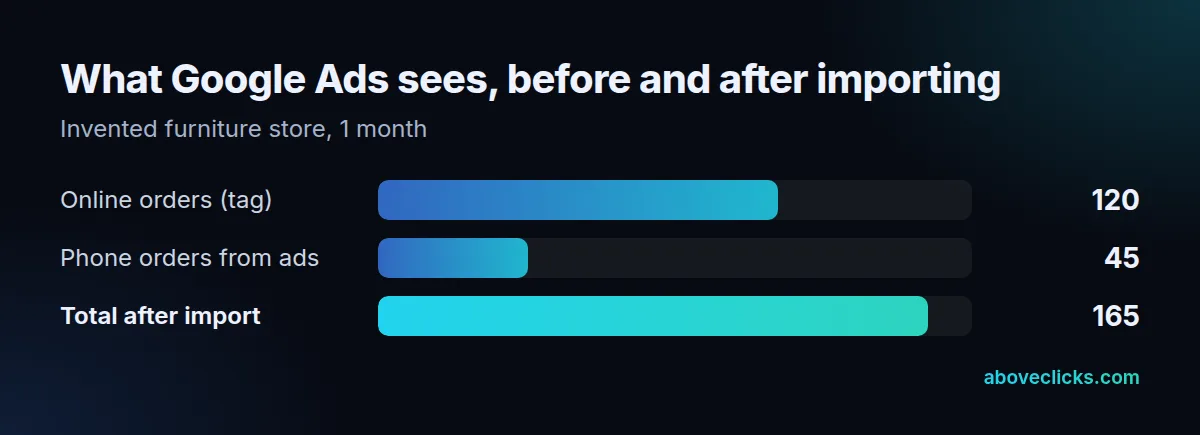
Without an offline conversion import, Google Ads credits 120 sales and Smart Bidding learns that the phone-heavy campaigns underperform. With it, the account sees 165, a 38% jump in measured conversions, and bids follow the real buyers. Ordinary online checkout sales don’t need it: the Google tag already counts them. The same logic covers wholesale orders invoiced 30 days after a sample request, and in-store pickups paid at the till; each needs the click ID or customer email kept from the first visit.
Capturing the click ID
The import is only as good as the capture, so we checked whether stores keep the click ID at all. On 18 October 2026 we requested 30 store homepages with a fake gclid; 26 of the 27 that answered kept it in the final URL with its capitals intact, and only 1 bare-domain redirect dropped it. Our server-side tracking service sets up the capture and the uploads, and the tracking and analytics hub covers the rest.