Engagement rate is the percentage of sessions in Google Analytics 4 that count as engaged: they last longer than 10 seconds, include a key event, or have 2 or more page or screen views. Bounce rate is its exact opposite, the share of sessions that weren't engaged.
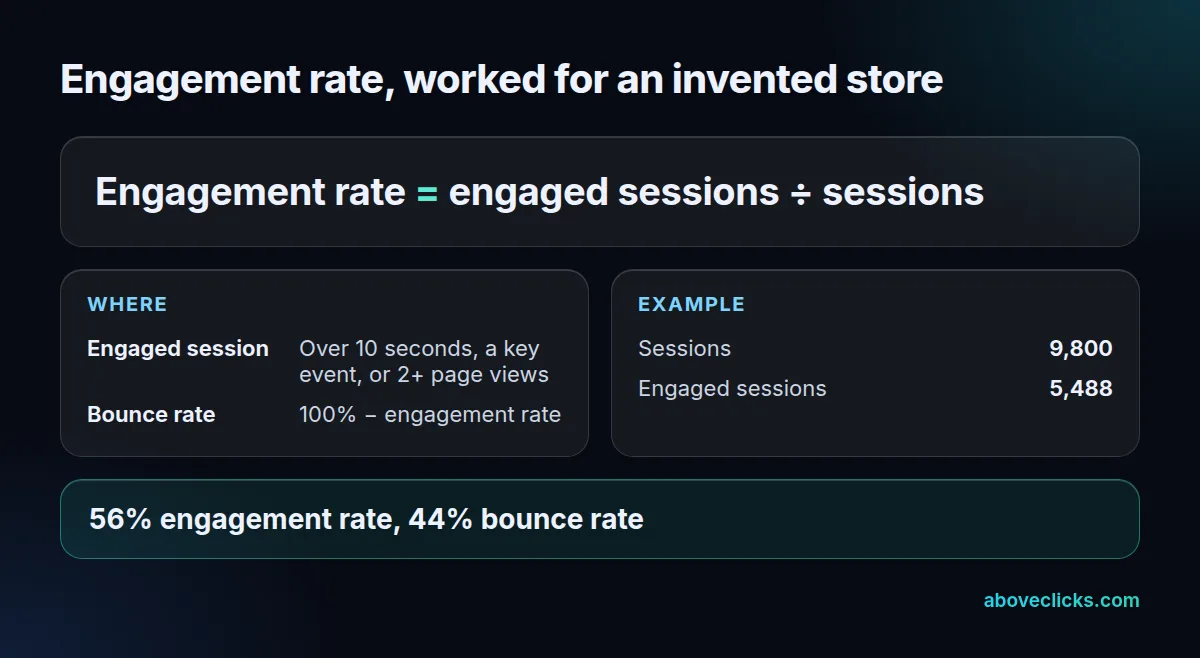
FormulaEngagement rate = engaged sessions ÷ sessions
Engagement rate is the percentage of sessions in Google Analytics 4 that count as engaged: they last longer than 10 seconds, include a key event, or have 2 or more page or screen views. Bounce rate is its exact opposite, the share of sessions that weren’t engaged.
How is engagement rate calculated in GA4?
Divide engaged sessions by all sessions. A hypothetical store with 9,800 sessions, 5,488 of them engaged, has a 56% engagement rate. The rule set comes from Google’s engagement rate and bounce rate page.
A session needs to meet only 1 of the 3 rules. A shopper who lands on a product page and adds it to the cart in 6 seconds is engaged if add to cart is one of your key events; one who reads a single page for 40 seconds is engaged on time alone. Google also notes that first_visit, first_open and session_start are left out of the calculation even if you mark them as key events.
What is the difference between engagement rate and bounce rate?
There’s no separate logic: in Google Analytics 4, bounce rate is 100% minus engagement rate. Our hypothetical store’s 56% engagement rate means a 44% bounce rate.
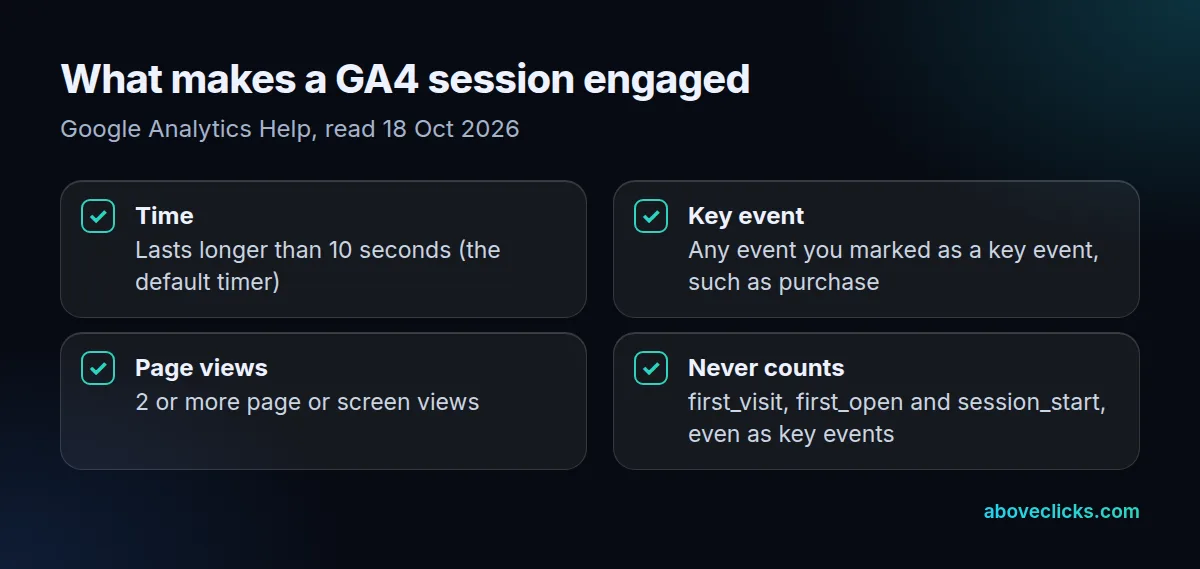
So a “bounce” in GA4 is a session that was short, single-page and without a key event, all 3 at once. Neither metric is in most standard reports by default; an Editor or Administrator adds them with Customize report, and they can only be added to detail reports.
When does a visit count as engaged?
When Google’s tag sends a hit with the engaged flag set. Time counts only while the page is in focus, per Google’s user engagement page. On 18 October 2026 we loaded Google’s live tag on 2 test pages with a dummy ID, blocked every hit from leaving the browser, and read what the tag sent in 4 visits.
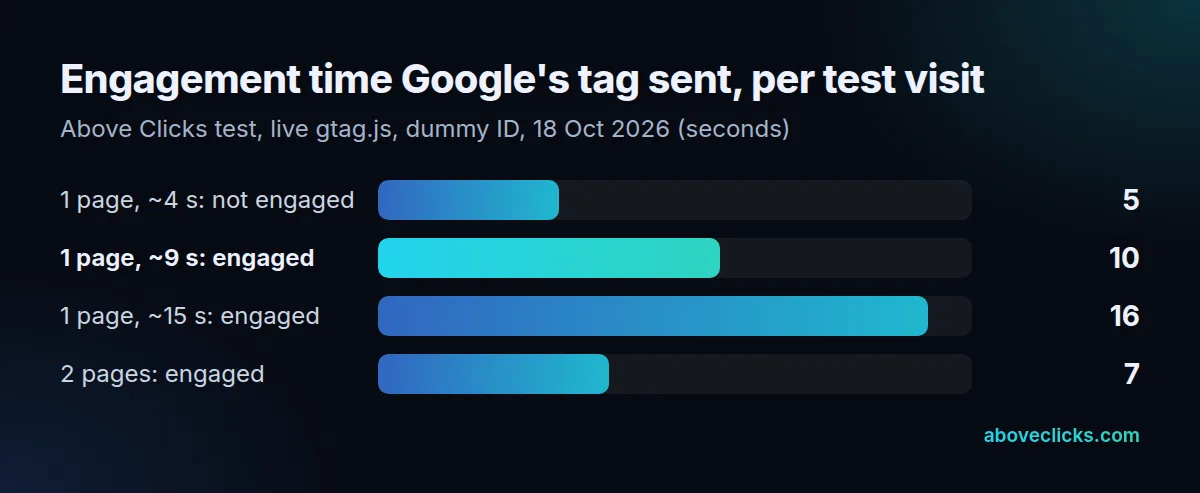
A visit we left after about 4 seconds reported 5,397 ms of engagement time and stayed unengaged. Visits that reported 10,209 ms and 16,407 ms were engaged; the first passed the threshold by a fifth of a second. A 2-page visit was engaged with under 7 seconds in total, because the second page view qualifies on its own. In every visit, the first page view carried the flag at 0; it only flipped on a later hit.
Reading a low score
Break it down before acting. In our hypothetical store, a 56% site average could hide paid social at 38% and organic search at 64%; the fix for the first is the ad-to-page match, not the site. Google suggests checking whether it’s low everywhere or only for certain channel groups, source/medium pairs or pages, and, if it’s low everywhere, whether every page is tagged correctly.
The 10-second timer is a default you can adjust in the Google tag settings, where the session timeout (default 30 minutes) also lives. Change it and the numbers before and after stop being comparable. The same goes for key events: marking add to cart as a key event turns every quick add into an engaged session, so the rate jumps without any change in shoppers. Our GA4 audit checks these settings and your key events, and the tracking and analytics hub covers the rest.