Conversion rate is the share of visits, or ad interactions, that end in a conversion such as a purchase, shown as a percentage. Shopify divides sessions that resulted in a purchase by all sessions; Google Ads divides conversions by ad interactions, so the same store gets different numbers.
FormulaConversion rate = sessions with a purchase ÷ sessions × 100
Conversion rate is the share of visits, or ad interactions, that end in a conversion such as a purchase, shown as a percentage. Shopify divides sessions that resulted in a purchase by all sessions; Google Ads divides conversions by ad interactions, so the same store gets different numbers.
What is the conversion rate formula?
Divide the sessions that ended in a purchase by all sessions, then multiply by 100. A hypothetical store with 912 purchase sessions out of 48,000 has a 1.9% rate.

That is Shopify’s definition in its behavior reports: “The percentage of sessions that resulted in a purchase.” Its funnel steps work the same way, so the reached-checkout rate is sessions that reached checkout divided by total sessions. Shopify’s own example merchant, Sarah, reads 5% for a month, meaning 5 of every 100 sessions bought something.
Why do Shopify, GA4 and Google Ads show different numbers?
Because each divides by something different: Shopify by sessions, GA4 by sessions or by users, Google Ads by ad interactions. We ran one hypothetical month through all 4 formulas.

GA4’s session key event rate counts sessions with any key event, and its user key event rate divides by users, so a shopper who visits 3 times counts once. The Google Ads definition divides conversions by ad interactions that can be tracked to a conversion: 50 from 1,000 is 5%. With more than one conversion action, or “Every” counting, it can pass 100%. Compare a number only with itself over time, and read it next to average order value, since a higher rate on cheaper orders can earn less.
Why did my Shopify conversion rate change?
As of October 2026, the likely cause is Shopify’s session measurement update, which rolled out from 21 to 23 September 2026 and changed sessions, not orders.
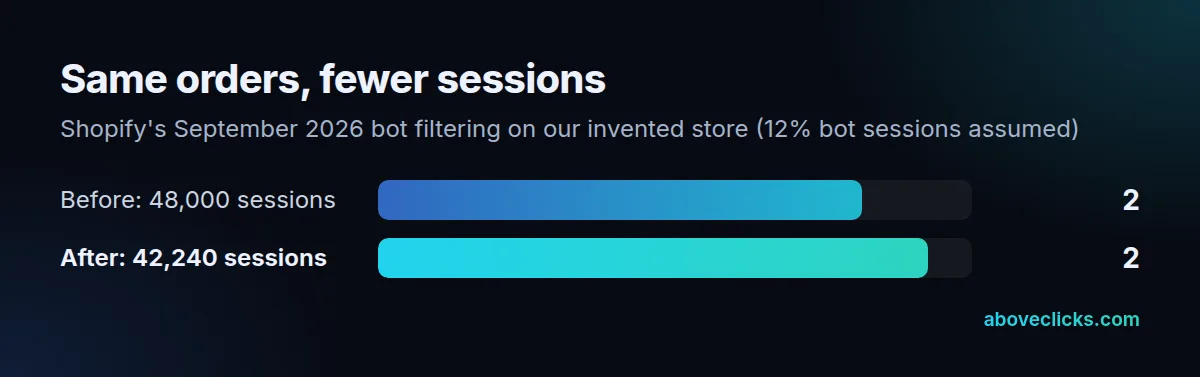
Identified bot sessions are now filtered out by default, sessions no longer end at midnight UTC, and some sessions without a page view (a shopper going straight to checkout from a cart link) now count. Fewer sessions push the rate up, extra ones pull it down. With an assumed 12% bot share, our hypothetical store’s 1.9% becomes 2.16% on the same 912 orders.
Bot classification only covers sessions from 7 October 2025, so Shopify advises treating data after the update as a new baseline. The same applies to the other session-based numbers it lists, including add to cart rate, reached checkout rate, checkout conversion rate and bounce rate. Before blaming the change, compare orders and sales for the same dates: if they held steady, the store didn’t change, the measurement did.
Using it well
Watch the conversion rate by device, landing page and channel rather than as one site-wide number. Our hypothetical store’s 1.9% conversion rate could be 3% on desktop and 1.4% on mobile, and the fix for each is different: checkout friction on phones, or a landing page that doesn’t match the ad. Shopify’s funnel report shows where sessions drop: added to cart, reached checkout, completed checkout, each divided by all sessions. Before trusting the GA4 version, check that Google Analytics 4 has purchase marked as a key event; with extra key events such as newsletter sign-ups, its rate stops meaning orders at all. Our conversion rate optimization service starts from exactly this split.