How to use the AB test significance calculator
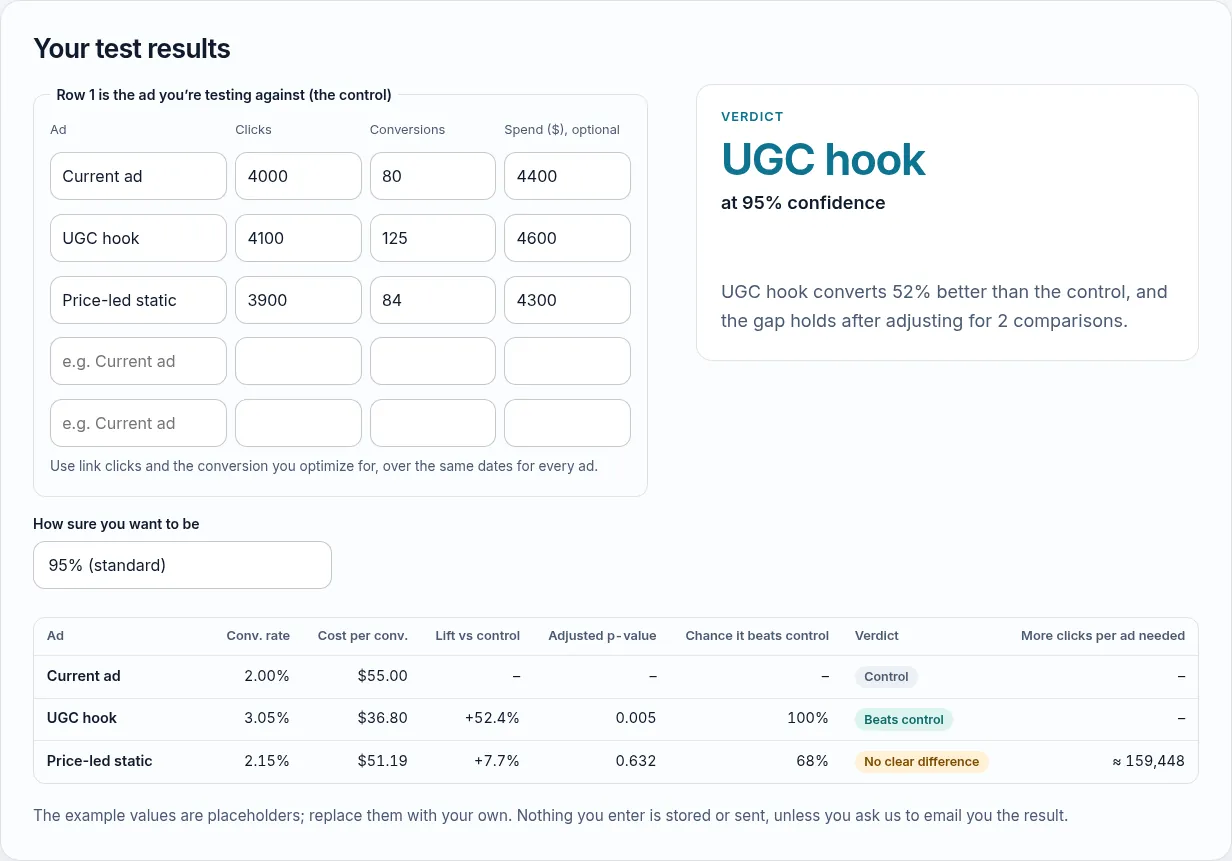
The AB test significance calculator (you may know it as an A/B test significance calculator) compares each ad with the one you’re testing against. It works for Meta, Google, TikTok or any platform that reports clicks and conversions per ad.
Export the numbers for the same date range for every ad, using link clicks rather than all clicks, so every ad is judged on exactly the same thing. A result is statistically significant only when the gap is bigger than chance would explain at the confidence you chose; the verdicts are explained below.
- Row 1 is the control: the ad you’re testing against, usually the one already running.
- For each ad, up to five: a name, its link clicks and the conversions you optimize for, over the same dates. Spend is optional and adds cost per conversion.
- Choose how sure you want to be: 95% is the standard choice; 90% decides sooner but accepts more false winners along the way.
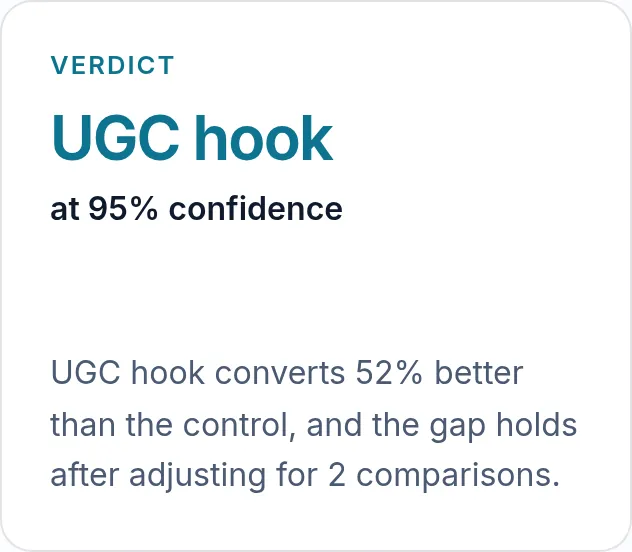
- Read the verdict: the winner, the confidence it was tested at, and how much better it converts once the comparisons are adjusted for.
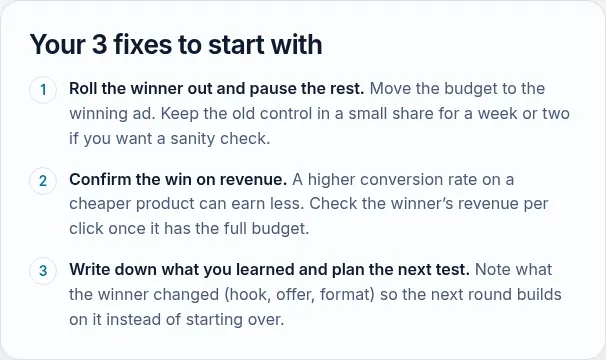
Under the verdict come three fixes to start with. For the example they are: roll the winner out and pause the rest, confirm the win on revenue, and write down what you learned and plan the next test.
On a phone, the verdict sits under the results table.
Google Ads explains how to split traffic between a base campaign and a trial in its help page on custom experiments. Plan the test length first with the ad test duration calculator.
How it works
Row 1 is your control, the ad you’re testing against. Every other ad is compared with it on conversion rate (conversions ÷ clicks):
- Is the gap real? A two-proportion z-test gives a p-value: how likely a gap this large would be if the two ads really converted the same.
- Several ads, one standard. With more than one challenger, chance gets more opportunities to create a “winner”. The p-values are adjusted with the Holm method, which keeps the overall rate of false winners at your chosen level.
- Chance it beats the control. A Bayesian estimate (Beta posteriors with a flat prior) of the probability that the ad’s true conversion rate is higher than the control’s.
- More clicks needed. For undecided ads, roughly how many more clicks each ad needs to detect the gap seen so far.
The verdicts
- Beats control / worse than control: the adjusted p-value is below your threshold (0.05 at 95%).
- Too early: not significant, and an ad has fewer than 10 conversions, so the picture can still change quickly. The cut-off of 10 is our rule of thumb.
- No clear difference: enough data, no significant gap. Pick on cost or brand fit.
When the winner converts better but costs more per conversion (pricier clicks), the tool tells you, because cost per conversion is what you pay.
Use it once, at the end
Significance tests assume you look at the result once. Checking daily and stopping at the first significant result finds many false winners. Plan the length with our ad test length planner and read the result when it’s done.